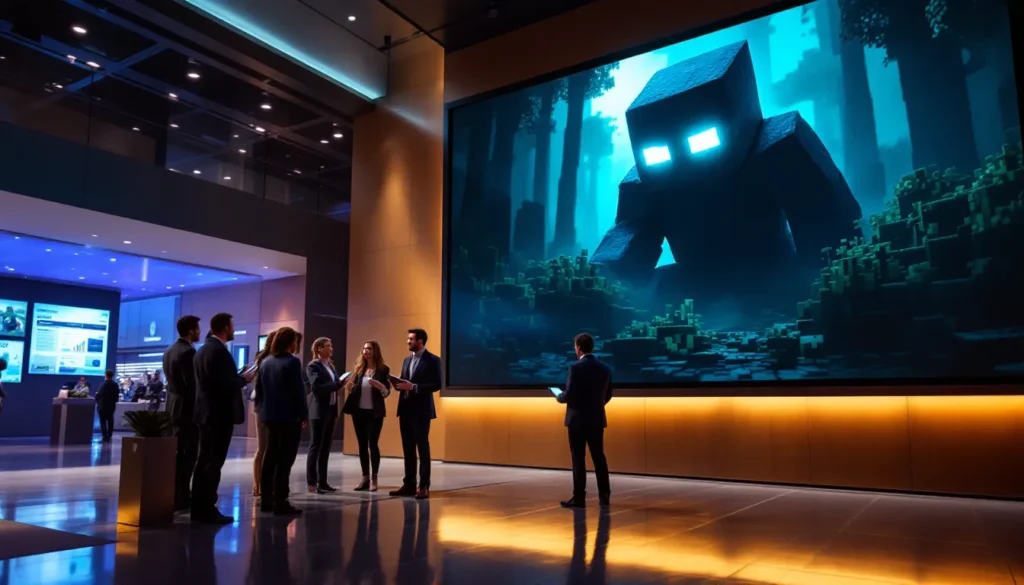
Minecraft’s iconic blocky aesthetic has defined gaming for over a decade, but there’s a growing community pushing the game’s visuals to photorealistic extremes. With ray-traced lighting, 4K textures, and physically-based rendering, minecraft realistic builds blur the line between voxel sandbox and next-gen graphics showcase. Whether you’re chasing cinematic screenshots or building lifelike replicas of real-world landmarks, transforming Minecraft into a visual powerhouse requires the right combination of shaders, resource packs, and mods.
In 2026, the realistic Minecraft scene has matured significantly. Ray tracing is no longer locked behind experimental builds, shader performance has improved across mid-range hardware, and texture artists are crafting PBR-compliant packs that rival AAA game assets. This guide breaks down the tools, techniques, and system requirements you’ll need to experience Minecraft like never before, no marketing fluff, just actionable specs and tested recommendations.
Table of Contents
ToggleKey Takeaways
- Realistic Minecraft combines ray-traced lighting, high-resolution textures, and physically-based rendering to transform the game into a photorealistic visual showcase while preserving its core creative identity.
- Top shader options include SEUS PTGI for maximum visual fidelity (requires RTX 4070+), BSL Shaders for balanced performance on mid-range GPUs, and Complementary Reimagined for extensive customization and modded compatibility.
- Professional-grade resource packs like Realistico (1024x), UMSOEA, and Stratum (2048x) provide hand-crafted textures with proper PBR maps that react authentically to shader lighting effects.
- Realistic Minecraft builds require careful attention to scale (1:2 or 1:3 block ratios), architectural accuracy, texture mixing, and terrain terraforming using tools like WorldEdit and Axiom.
- Minimum specs for smooth realistic gameplay start at RTX 4060 + 16GB RAM for 1080p with BSL Shaders, while 4K photorealistic builds demand RTX 4090 hardware and 64GB RAM allocation.
- Sodium + Iris outperforms OptiFine by 30-40%, and pairing them with optimization mods (FerriteCore, LazyDFU) is essential for maintaining high framerates in shader-heavy setups.
What Does Realistic Minecraft Mean?
The Evolution of Realistic Minecraft Graphics
Realistic Minecraft refers to visual overhauls that replace the game’s signature low-resolution textures and flat lighting with high-fidelity graphics, dynamic shadows, reflections, and natural color grading. This movement started around 2013 with early shader packs like SEUS and KUDA, which added basic shadow mapping and bloom effects. By 2018, SEUS PTGI introduced path-traced global illumination, actual ray tracing inside Minecraft’s Java engine.
Fast forward to 2026, and the gap between vanilla Minecraft and realistic setups is staggering. Modern shaders leverage hardware-accelerated ray tracing on NVIDIA RTX and AMD Radeon RX series cards, while resource packs now ship with PBR (physically-based rendering) textures that react authentically to light sources. Water reflects the sky, glass refracts light accurately, and metal blocks show proper specularity. It’s not just prettier, it’s technically sophisticated.
The Bedrock Edition’s official RTX implementation (launched in 2020) also pushed the envelope, but Java Edition remains the go-to platform for realistic minecraft setups due to its open modding ecosystem and shader flexibility. Bedrock RTX is locked to specific marketplace worlds and lacks the customization depth that Java players expect.
Why Players Pursue Realism in a Blocky World
You’d think realism contradicts Minecraft’s core identity, but the appeal is straightforward: creative challenge and visual storytelling. Builders who’ve mastered block placement want to see their castles, cityscapes, and fantasy biomes rendered with the same lighting fidelity as AAA RPGs. A medieval village hits differently when sunlight streams through stained glass and casts colored shadows on cobblestone streets.
There’s also the screenshot culture. Platforms like Reddit’s r/Minecraft and Instagram are flooded with hyper-realistic shots that rack up thousands of upvotes. Players treat these builds like digital photography portfolios, tweaking shaders and camera angles until every frame looks gallery-ready. It’s part art, part technical flex.
Finally, some players just want immersion. Survival mode feels more atmospheric when storms roll in with volumetric clouds, torches flicker with realistic light falloff, and cave exploration becomes genuinely eerie under dynamic shadows. Realism isn’t about abandoning Minecraft’s charm, it’s about amplifying the emotional weight of the world you’ve built.
Best Shaders for Realistic Minecraft in 2026
SEUS PTGI: The Gold Standard for Ray Tracing
Sonic Ether’s Unbelievable Shaders: PTGI (Path Traced Global Illumination) remains the most technically impressive shader pack available. Version E15, released in late 2025, refines the path-tracing algorithm for better bounce light accuracy and reduced noise in low-light scenes. Every light source, torches, lava, glowstone, casts realistic indirect illumination, meaning a single torch can softly light an entire room through reflected photons.
Performance is brutal, though. SEUS PTGI demands an NVIDIA RTX 4070 or better to maintain 60 FPS at 1080p, and 4K gameplay realistically requires an RTX 4090. AMD users are out of luck: PTGI relies on NVIDIA’s OptiX API for ray tracing acceleration. It’s a Patreon-exclusive shader (starting at $10/month), which keeps development funded but limits accessibility.
Best used for: Screenshot hunting and cinematic builds where performance isn’t critical. Survival gameplay is choppy unless you’re running top-tier hardware.
BSL Shaders: Balancing Performance and Beauty
BSL Shaders has become the community favorite for players who want realistic visuals without tanking their framerate. The latest version (v8.3.1, March 2026) supports screen-space ray tracing for reflections and water, but uses rasterization tricks to fake most lighting effects. The result looks 80% as good as PTGI at 3x the performance.
BSL runs smoothly on mid-range GPUs like the RTX 4060 or RX 7600, delivering 90+ FPS at 1080p with most settings maxed. It also includes extensive customization menus, you can toggle volumetric clouds, adjust shadow resolution, and tweak color grading to match your aesthetic. For players pursuing realistic minecraft texture packs, BSL’s PBR support ensures materials render with proper roughness and metallic values.
Best used for: Daily gameplay, survival servers, and builders who need smooth performance while recording or streaming.
Complementary Shaders: Versatility Meets Realism
Complementary Shaders (Reimagined) is the dark horse of 2026’s shader scene. Originally designed as a “vanilla-plus” shader, its Reimagined variant (v5.2) pushes realism hard while maintaining incredible optimization. It supports both Iris and OptiFine, making it the most compatible option for modded setups.
What sets Complementary apart is its customization depth. The shader exposes 200+ settings through its menu, letting you blend realism with stylization. Want hyper-saturated fantasy colors with realistic lighting? Done. Prefer gritty, desaturated survival horror vibes? Adjust the tone mapping. It’s the shader equivalent of a modular synthesizer, endlessly tweakable.
Best used for: Players running extensive mod packs (like Minecraft 1.20.4 mods) who need shader stability and flexibility.
Continuum RT: Professional-Grade Lighting
Continuum RT (version 3.0.4) targets the high-end enthusiast crowd. It’s a hybrid renderer that combines rasterization with selective ray tracing for reflections, refractions, and shadow penumbra. The lighting model is physically accurate, light behaves according to inverse square law, color temperature shifts realistically from sunrise to sunset, and atmospheric scattering mimics real-world sky gradients.
The catch? Continuum RT costs $15 as a one-time purchase, and setup is less intuitive than free alternatives. You’ll need to manually configure PBR labeling in your resource packs and fine-tune settings to avoid over-exposure or crushed blacks. It’s not plug-and-play, but enthusiasts who invest the time swear by the results. According to performance analysis from DSOGaming, Continuum RT delivers the best image quality-per-frame among paid shaders.
Best used for: Architectural showcases, portfolio pieces, and players willing to spend time tweaking for perfection.
Top Resource Packs for Photorealistic Textures
Realistico: Ultra-HD Texture Masterpiece
Realistico (1024x resolution) is the flagship ultra-HD texture pack that dominates realistic Minecraft builds in 2026. Every block features hand-crafted textures with micro-detail, wood grain shows annual rings, stone has visible mineral deposits, and dirt includes small pebbles and organic debris. The pack ships with full PBR maps (normal, roughness, metallic, emissive), ensuring materials react correctly under shader lighting.
VRAM requirements are intense: expect 8GB minimum at 1024x resolution, with 12GB recommended if you’re also running shaders. Realistico offers downscaled 512x and 256x versions for lower-spec systems, though you’ll lose fine detail. The pack costs $5 on the creator’s website, with free updates for life.
Compatibility note: Realistico works best with BSL Shaders or Complementary Reimagined. SEUS PTGI users report occasional texture flickering in reflections due to how the pack handles alpha channels.
UMSOEA: Natural Textures and PBR Support
UMSOEA (Ultimate Modded Survival Overhaul Environment Art) prioritizes organic, natural aesthetics over hyper-realism. Textures lean toward photographic sources, leaves look like actual foliage, grass has subtle color variation, and stone formations mimic real geology. At 512x base resolution, it’s less demanding than Realistico while still delivering significant visual upgrades.
What makes UMSOEA special is its modded block support. The pack includes custom textures for 30+ popular mods, including Biomes O’ Plenty, Create, and Farmer’s Delight. If you’re running extensive mod lists, UMSOEA prevents the jarring disconnect between vanilla high-res textures and low-res mod assets.
The pack is free on CurseForge and updates monthly. The creator actively takes community requests for new mod support, making it the most responsive texture pack project in the scene.
Stratum: Modern and Physically Accurate
Stratum (2048x) pushes texture resolution into absurd territory. Originally designed for static render scenes rather than gameplay, it’s now optimized enough to run on high-end GPUs during actual survival. The focus is architectural realism, concrete, metal, and industrial blocks look like they belong in Unreal Engine 5 tech demos.
Stratum’s PBR implementation is the most technically accurate available. Metallic surfaces show anisotropic reflections, translucent blocks have proper subsurface scattering parameters, and emissive textures bloom correctly under HDR rendering. It’s overkill for most players but unmatched for showcase builds.
Downside: 2048x textures require 16GB VRAM and will choke anything below an RTX 4080. Even with beefy hardware, expect stuttering during chunk loading. Use this for beauty shots and finished builds, not active construction or exploration.
Essential Mods for Creating Realistic Environments
Biome Expansion Mods for Natural Diversity
Vanilla Minecraft’s biome variety feels limited when pursuing realism. Terralith (v2.5.3) is the current king of world generation overhaul, adding 100+ new biomes without requiring any new blocks. It works as a datapack, meaning it’s compatible with vanilla servers and doesn’t bloat your mod list.
Terralith’s biomes feel geologically plausible, mountain ranges have proper foothills, rivers carve realistic valleys, and coastlines transition naturally between ocean and land. For players focused on realistic terraforming, it provides the base canvas that vanilla lacks.
Biomes O’ Plenty remains relevant in 2026 (v19.0.0.102 for Minecraft 1.20.4), especially for fantasy-realism hybrid builds. It adds more exotic biomes, redwood forests, lavender fields, volcanic wastelands, that work well for fantasy-themed projects but retain enough grounding to feel believable under realistic shaders.
Physics and Animation Mods
Static blocks undermine immersion in realistic setups. Physics Mod Pro (v3.2.1) adds ragdoll physics to mobs, makes blocks break apart realistically, and simulates fluid dynamics for water and lava. When combined with shaders, watching a tower collapse with proper structural physics feels genuinely cinematic.
Visuality and Effective work in tandem to add ambient particle effects, fireflies at night, falling leaves in forests, splashing water droplets near rivers. These subtle touches sell the realism without tanking performance (both mods add less than 5% GPU overhead).
Figura lets you create custom player models with advanced animations. For machinima creators and roleplay servers, it enables character emotes, facial expressions, and clothing that moves naturally. It’s overkill for solo play but essential for narrative-driven content creation.
Weather and Lighting Enhancement Mods
Weather2 (rewritten for 1.20.4) simulates realistic storm systems that move across the world map. Storms build gradually, rain intensity varies, and lightning strikes have actual trajectories rather than spawning randomly. Combined with volumetric cloud shaders, the weather becomes a gameplay element rather than a visual gimmick.
Hyper Lighting is a server-side mod that fixes vanilla’s broken light propagation. It eliminates “ghost lighting” bugs and ensures light sources blend correctly when overlapping. For realistic builds with complex lighting setups (multiple torches, lanterns, and glowstone), it’s non-negotiable for visual consistency.
Building Techniques for Realistic Minecraft Structures
Realistic Scale and Proportions
Minecraft’s 1:1 block scale creates proportional nightmares. Doorways end up comically tall, furniture looks oversized, and rooms feel cavernous. Realistic builders often shift to 1:2 or 1:3 scale, each real-world meter equals two or three Minecraft blocks. This allows proper door height (3-4 blocks), realistic furniture depth, and believable ceiling heights (8-10 blocks for residential spaces).
BdoubleO100’s technique for realistic interiors is still the gold standard: use slabs and stairs for everything. Beds become three-slab arrangements with stair headboards. Desks use trapdoors for legs and sideways slabs for surfaces. It’s labor-intensive but creates furniture that actually matches real-world proportions.
For exteriors, study real architecture. Victorian homes have specific roof pitches (typically 45-60 degrees), window placement follows rhythmic patterns, and materials transition logically (stone foundations, wood framing, shingle roofs). Generic “fantasy castle” builds collapse under realistic lighting because the architecture makes no structural sense.
Advanced Detailing and Texture Mixing
Monochrome walls look flat under realistic shaders. Texture mixing, blending 3-5 similar blocks in random patterns, creates visual noise that mimics weathering and material variation. Stone brick walls should incorporate cracked variants, mossy variants, andesite, and cobblestone in 60/15/10/10/5 ratios.
Depth layering is critical for realistic facades. Recessing windows by 1-2 blocks creates proper shadows. Adding trim around doors using contrasting materials (dark oak on birch walls, blackstone on quartz) defines architectural elements that would otherwise blend together under high-contrast shader lighting.
Micro-detailing sells realism in close-ups. Flower pots on windowsills, trapdoor shutters, button door handles, carpet runners in hallways, these add lived-in authenticity. According to building guides on IGN, players spend 40% more time on detailing than on primary structure when pursuing realistic builds.
Landscape Terraforming for Natural Terrain
Vanilla terrain is too geometric. WorldEdit and WorldPainter are essential for organic terraforming. Use WorldPainter to generate custom heightmaps from real-world topography data (available from USGS Earth Explorer), then import into Minecraft for geologically accurate landscapes.
For manual terraforming, avoid straight lines and uniform slopes. Real mountains have irregular peaks, saddle points, and distinct geological layers. Rivers meander, they don’t flow in straight channels. Use WorldEdit’s //smooth command iteratively (10-15 passes) to eliminate blocky artifacts, then manually reintroduce rock outcrops and erosion patterns for visual interest.
Ground cover layering completes the illusion. Don’t just place grass, add random flowers, ferns, tall grass, and coarse dirt patches. Forests need fallen logs (stripped wood placed horizontally), mushroom clusters, and leaf litter (carpet and trapdoors). Beaches should transition gradually from sand to sandstone to stone, mimicking sediment deposition.
Pro tip: Use Axiom (v1.8.2), the new real-time editor that’s replacing WorldEdit for serious builders. Its terrain sculpting tools include erosion simulation, noise-based scattering, and procedural texture painting, all rendered instantly instead of WorldEdit’s laggy command processing.
System Requirements and Performance Optimization
Recommended PC Specs for Realistic Minecraft
Don’t let the blocky aesthetic fool you, realistic Minecraft is more GPU-intensive than many AAA titles. Here’s what you need for different quality tiers in 2026:
Minimum (1080p, 60 FPS, BSL Shaders, 512x Textures):
- GPU: NVIDIA RTX 4060 / AMD RX 7600 XT
- CPU: Intel i5-13400 / AMD Ryzen 5 7600
- RAM: 16GB DDR4-3200
- Storage: NVMe SSD (for chunk loading)
- Java: OpenJDK 21 (optimized garbage collection)
Recommended (1440p, 90+ FPS, Complementary Reimagined, 1024x Textures):
- GPU: NVIDIA RTX 4070 Ti / AMD RX 7800 XT
- CPU: Intel i7-14700K / AMD Ryzen 7 7800X3D
- RAM: 32GB DDR5-5600
- Storage: Gen4 NVMe SSD
Enthusiast (4K, 120 FPS, SEUS PTGI, 2048x Textures):
- GPU: NVIDIA RTX 4090
- CPU: Intel i9-14900K / AMD Ryzen 9 7950X3D
- RAM: 64GB DDR5-6400
- VRAM: 24GB (4090’s full allocation gets used)
CPU matters more than most realize. Minecraft’s chunk rendering is heavily single-threaded. The Ryzen 7800X3D’s massive L3 cache delivers 15-20% better frame pacing than equivalently-clocked Intel chips, according to performance testing on DSOGaming.
Optimization Tips to Boost FPS
Allocate RAM correctly. Launch Minecraft with -Xmx16G -Xms16G (or higher) to prevent garbage collection stutter. Default 2GB allocation will cause constant hitching with realistic setups.
Sodium + Iris outperforms OptiFine by 30-40% in 2026. Sodium rewrites Minecraft’s rendering engine in optimized code, while Iris provides shader support previously locked to OptiFine. The only reason to still use OptiFine is if your shader pack explicitly requires it (mainly older packs).
Render distance is the FPS killer. Dropping from 32 chunks to 16 chunks doubles your framerate. Use Bobby mod for client-side chunk caching, it keeps distant chunks loaded visually without server-side performance cost.
Disable shader features you won’t notice. Volumetric clouds tank 20-30 FPS but are barely visible when actively playing. Same with underwater caustics in non-ocean builds. Tailor your shader settings to your biome and build type.
FerriteCore and LazyDFU are non-negotiable optimization mods. FerriteCore reduces memory usage by 50-70%, while LazyDFU defers unnecessary data initialization. Combined with Sodium, they form the holy trinity of performance modding. Install them from CurseForge or Nexus Mods for any serious modded setup.
How to Install Shaders, Resource Packs, and Mods
Installing OptiFine or Iris for Shader Support
Vanilla Minecraft doesn’t support shaders, you need either OptiFine or Iris as a shader loader.
For OptiFine (standalone):
- Download OptiFine HD U I8 (1.20.4 version as of March 2026) from optifine.net
- Run the .jar installer and select your Minecraft directory
- Launch Minecraft, select the OptiFine profile in the launcher
- Done, shaders folder is now available in your .minecraft directory
For Iris + Sodium (better performance):
- Install Fabric Loader from fabricmc.net (select Minecraft 1.20.4)
- Download Sodium, Iris Shaders, and Indium from Modrinth or CurseForge
- Place all .jar files in
.minecraft/modsfolder - Launch via Fabric profile
- Shaders are accessed through Video Settings → Shader Packs
OptiFine is easier for first-timers, but Iris is the better long-term choice for performance. Most modern shader developers now test primarily on Iris.
Step-by-Step Resource Pack Installation
Resource packs are straightforward but often mishandled. Here’s the correct process:
- Download your resource pack (Realistico, UMSOEA, etc.) as a .zip file
- Open Minecraft and go to Options → Resource Packs → Open Pack Folder
- Place the .zip file directly into this folder (don’t extract it)
- Back in Minecraft, the pack appears in the left column
- Click the arrow to move it to “Selected” (right column)
- If using multiple packs, order matters, highest priority goes on top
- Click Done and wait for assets to reload (30-90 seconds for large packs)
Critical mistake to avoid: Don’t run 4K texture packs without first allocating more RAM. Minecraft will crash on chunk load if it runs out of memory while loading high-res assets.
Setting Up Forge or Fabric for Mod Compatibility
Mod loaders enable the mods mentioned earlier (Terralith, Physics Mod, etc.). You’ll need either Forge or Fabric depending on mod compatibility.
Fabric (lightweight, modern):
- Best for optimization mods and shader setups
- Installs in 30 seconds via fabricmc.net installer
- Active development, better for new mods
Forge (legacy, broad compatibility):
- Required for older mods and certain large mod packs
- Heavier performance overhead than Fabric
- Install from files.minecraftforge.net
Check your target mods’ pages for which loader they support. As of 2026, most realistic minecraft mods have migrated to Fabric, but some holdouts (like certain biome mods) remain Forge-exclusive. You can’t run both loaders simultaneously, it’s an either/or choice per Minecraft instance.
For managing multiple modded setups, use Prism Launcher or MultiMC. These let you maintain separate instances with different mod loader versions, preventing conflicts when you want both a Fabric shader setup and a Forge modpack.
Showcasing Your Realistic Minecraft Creations
Screenshot Settings and Camera Mods
Realistic builds deserve proper photography. First step: bump your resolution. Minecraft can render at arbitrary resolutions, use F3 + F4 to toggle fullscreen, then set a custom resolution like 4K or even 8K in video settings (you’ll suffer 5 FPS, but screenshots don’t care).
Shader-specific settings matter. Enable motion blur and depth of field for cinematic shots. BSL and Complementary both include camera path tools, you can program smooth camera movements and render them as image sequences for timelapses or flythroughs.
Replay Mod (v2.6.15) is essential for serious content creators. It records your gameplay as camera data, letting you scrub through time, adjust camera angles post-session, and apply slow motion or time compression. Combined with shaders, you can produce trailer-quality footage without dealing with OBS recording overhead during building sessions.
For still photography, Camera Mod adds manual exposure control, aperture simulation (real depth of field, not post-process blur), and rule-of-thirds overlay guides. Treat it like an actual DSLR, underexpose by 0.5-1 stop to preserve shader highlights, then lift shadows in editing.
Sharing on Social Media and Gaming Communities
Platform choice affects visibility. Reddit’s r/Minecraft and r/Minecraftbuilds favor dramatic lighting and unique angles over raw build complexity. Post during 8-10 AM EST on weekdays for maximum traction.
Instagram and TikTok prioritize vertical video (9:16). Use Replay Mod to capture slow panning shots or before/after comparisons. Hashtag strategy: #MinecraftBuilds, #RealisticMinecraft, #MinecraftShaders (avoid generic #Minecraft, too oversaturated).
PlanetMinecraft remains the dedicated showcase platform. Upload world downloads alongside screenshots, builds with downloadable worlds get 5x more engagement. Write brief descriptions explaining your shader/resource pack setup so viewers can replicate your look.
For portfolio work (if you’re building toward commissions), ArtStation is where serious builders and map-makers display their work. The audience is smaller but higher quality, you’ll get noticed by server networks and content creation teams looking for builders.
Watermark sparingly. Subtle corner signatures are fine: obnoxious center watermarks kill shares. You want your build spreading, not your brand.
Conclusion
Transforming Minecraft into a photorealistic experience is no longer a novelty, it’s a fully realized subculture with mature tooling and an active community. The barrier to entry has never been lower: mid-range GPUs now handle what required enthusiast hardware in 2023, and shader/resource pack installation has been streamlined to near plug-and-play simplicity.
Your path depends on your priorities. Screenshot hunters should invest in SEUS PTGI and high-resolution texture packs, accepting the performance hit for maximum visual fidelity. Daily players and survival enthusiasts will find better value in BSL Shaders or Complementary Reimagined paired with 512x packs, realistic enough to impress without compromising smooth gameplay.
The techniques outlined here represent the current state of realistic Minecraft in 2026, but the scene evolves fast. Shader developers keep pushing new rendering techniques, texture artists experiment with AI-assisted upscaling, and mod creators invent systems that further blur the line between sandbox game and simulation engine. Keep an eye on updates, test new releases, and don’t be afraid to mix tools until you find the aesthetic that matches your vision.
Eventually, minecraft realistic isn’t about abandoning the game’s identity, it’s about exploring how far that identity can stretch while still feeling like Minecraft. The blocks are still there, the creativity remains unlimited, and the gameplay loop stays intact. You’re just lighting it all better.