Minecraft’s archaeology system dropped a tool that completely changed how players hunt for rare loot. The brush isn’t flashy like a diamond sword or game-changing like an elytra, but it unlocks an entire layer of treasure hunting that most players overlook. Instead of mining or looting chests, you’re carefully excavating suspicious blocks to reveal pottery sherds, armor trims, and items you can’t get anywhere else.
Since the 1.20 Trails & Tales update introduced archaeology mechanics, the brush has become essential for completionists and collectors. Whether you’re building decorated pots, customizing armor with unique smithing templates, or just satisfying your inner Indiana Jones, understanding how the brush works, and where to use it, separates casual players from those with rare collections. This guide covers everything: crafting, mechanics, hotspots, loot tables, and strategies that make archaeology efficient instead of tedious.
Table of Contents
ToggleKey Takeaways
- The Minecraft brush is a specialized tool exclusively designed to excavate suspicious blocks without destroying loot, making it essential for obtaining rare pottery sherds and armor trims.
- Craft a brush using just a feather, copper ingot, and stick—simple materials available early-game—then enchant it with Unbreaking III to extend durability from 64 to approximately 256 uses.
- Trail ruins offer the highest loot density for brush archaeology with 50+ suspicious blocks per structure and exclusive drops like Raiser armor trims and the Relic music disc.
- Always brush suspicious blocks from top-to-bottom to prevent gravity-affected sand and gravel from falling and destroying items, and avoid using shovels or other tools on these blocks entirely.
- Ocean ruins and desert temples provide structure-specific pottery sherds and valuable items, but planning your route to trail ruins first maximizes time efficiency for collectors seeking rare cosmetics.
- Master the 4-second excavation mechanic and common mistakes—especially preventing accidental block destruction and ensuring proper enchantments—to avoid losing rare finds and wasting exploration time.
What Is the Brush in Minecraft?
The brush is a single-purpose tool added in Minecraft Java Edition 1.20 and Bedrock Edition 1.20.0. Its sole function is to excavate suspicious sand and suspicious gravel blocks, revealing hidden items buried inside. Unlike pickaxes or shovels that break blocks instantly, the brush requires sustained use, think of it as a slow, deliberate reveal rather than a smash-and-grab.
When you brush a suspicious block, you’ll see particles fly and the block gradually change texture until it drops a specific item and reverts to normal sand or gravel. Each suspicious block contains exactly one item from a predetermined loot table tied to the structure where you found it. Desert temples drop different loot than ocean ruins, and trail ruins have their own exclusive pool.
What makes the brush unique is its non-destructive nature. If you accidentally hit a suspicious block with a shovel or let it fall, the block breaks without dropping loot, you lose the item forever. The brush is the only safe way to extract archaeology loot, which is why it’s mandatory for players chasing completion or specific cosmetic items.
The brush has 64 durability points, meaning it can fully excavate 64 suspicious blocks before breaking. It can’t be repaired on an anvil, but it accepts the Unbreaking enchantment, which extends its lifespan significantly. You can also apply Mending and Curse of Vanishing, though the latter is pointless unless you enjoy losing tools on death.
How to Craft a Brush in Minecraft
Required Materials and Resources
The minecraft brush recipe is straightforward and doesn’t require rare materials. You’ll need:
- 1 Feather: Dropped by chickens (common) or parrots (rarer, don’t kill parrots). Feathers are also found in shipwreck and village chests.
- 1 Copper Ingot: Smelt raw copper ore (found abundantly in the Overworld, especially in dripstone caves and mountain biomes) in a furnace or blast furnace.
- 1 Stick: Craft from two wooden planks arranged vertically, or find in chests and loot tables.
Copper is the only semi-rare ingredient, but by the time you’re ready for archaeology, you’ve likely mined dozens of copper ore blocks. If you’re rushing a brush early-game, prioritize caves below Y=48 where copper veins spawn most frequently.
Step-by-Step Crafting Recipe
The brush recipe minecraft players need uses a vertical alignment on the crafting table:
- Open your crafting table (3×3 grid).
- Place the feather in the top-center slot.
- Place the copper ingot in the middle-center slot.
- Place the stick in the bottom-center slot.
- Take your brush from the output slot.
This recipe is shapeless vertically but must follow the top-to-bottom order: feather, copper, stick. It’s one of the simplest tool recipes in the game, deliberately accessible so players can start archaeology the moment they find suspicious blocks. No enchanting table or Nether materials required, just basic resources any player can gather within the first in-game day.
Where to Find Suspicious Blocks for Brushing
Desert Temples and Desert Wells
Desert temples (also called desert pyramids) contain suspicious sand in their lower chamber, usually mixed with regular sand around the four chests and TNT trap. Look for sand blocks with a slightly different texture, suspicious sand has subtle cracks and color variation compared to normal sand. Each temple typically spawns 4-8 suspicious sand blocks.
Desert temple loot includes:
- Pottery sherds (arms up, desert pyramid designs)
- Diamonds
- TNT
- Emeralds
- Gunpowder
Desert wells are rarer structures, small stone rings with water in desert biomes. They spawn 1-2 suspicious sand blocks at the bottom of the well. The loot table is smaller but includes unique pottery sherds like the brewer and shelter designs not found elsewhere.
Both structures are easiest to locate using exploration strategies that involve flying with an elytra or riding a horse across desert biomes, though desert temples are far more common.
Ocean Ruins and Underwater Structures
Ocean ruins generate in all ocean biomes (warm, lukewarm, cold, frozen) and contain suspicious gravel instead of suspicious sand. These underwater structures appear as crumbled stone brick or sandstone buildings, often in clusters.
Suspicious gravel in ocean ruins spawns:
- Pottery sherds (angler, blade, explorer, mourner, plenty)
- Iron axes
- Emeralds
- Wheat
- Coal
- Gold nuggets
The challenge here is working underwater. Bring respiration and aqua affinity helmets, or use doors/magma blocks to create air pockets. Water slows brush use slightly, but the mechanic works identically to land-based excavation. Cold ocean ruins tend to have more suspicious gravel blocks per structure (up to 10-12) compared to warm ruins (2-6).
Trail Ruins
Trail ruins are the jackpot for archaeology. Introduced in 1.20, these large underground/surface structures generate in various biomes (taiga, snowy taiga, old growth taiga, birch forest, jungle). They’re massive compared to desert temples, some contain 50+ suspicious gravel blocks scattered throughout the ruins.
Trail ruins have the most diverse loot table:
- All pottery sherds exclusive to trail ruins: danger, friend, heart, heartbreak, howl, sheaf
- Smithing templates: Raiser, wayfinder, shaper, host armor trims (trail ruins are the only source for raiser and host templates)
- Music discs (Relic)
- Candles, dyes, wheat, bricks, clay
- Blue ice, emeralds, gold nuggets, lead
Because trail ruins are underground and blend with natural terrain, they’re harder to spot. Use the /locate structure trail_ruins command in creative or rely on chunk-based exploration. Unlike desert temples with fixed layouts, trail ruins have procedurally generated shapes, no two are identical. The sheer volume of suspicious blocks makes trail ruins the best farming spot for archaeology loot, especially for players hunting specific armor trims or completing pottery sherd collections.
How to Use the Brush: Mechanics and Techniques
Brush Usage Controls and Animation
Using the brush is mechanically simple but requires patience. Here’s what does the brush do in minecraft:
- Equip the brush in your main hand.
- Aim at a suspicious sand or gravel block (you’ll see the slight texture difference).
- Hold down the use button (right-click on PC, RT/R2 on console, tap-and-hold on mobile).
- Wait 4 seconds while particles appear and the block texture cycles through four stages.
- The item drops and the block converts to normal sand or gravel.
You must hold the button continuously for the full 4 seconds. Releasing early resets progress, there’s no partial completion. The brush makes a distinct scratching sound and produces small dust clouds during excavation. On slower devices or servers with lag, the animation may stutter, but the 4-second timer remains consistent.
Critical rule: Do not let suspicious blocks fall. Sand and gravel obey gravity, so if you mine the block underneath a suspicious variant, it drops as an item and destroys the loot. Always brush from the top down or ensure suspicious blocks have solid support before excavating nearby blocks.
You can brush while standing, crouching, swimming, or even while taking damage (though knockback can interrupt the action). The brush works in any dimension, Overworld, Nether, End, but suspicious blocks only generate in Overworld structures.
Durability and Enchantments
The brush starts with 64 durability. Each complete excavation (full 4-second brush action) consumes 1 durability point. Partial brushing that gets interrupted doesn’t consume durability. When the brush breaks, it disappears, no broken tool item remains.
Compatible enchantments:
- Unbreaking III: Reduces durability loss chance per use. At Unbreaking III, the brush averages ~256 uses instead of 64, making it the most valuable enchantment for archaeology.
- Mending: Repairs durability using XP orbs. Useful for long archaeology sessions in trail ruins if you’re also killing mobs nearby.
- Curse of Vanishing: Makes the brush disappear on death. Completely useless unless you’re playing on a server where you want to prevent loot thieves from taking your tools.
You cannot apply efficiency, silk touch, or fortune to brushes. These enchantments don’t appear in the enchanting table or anvil for brushes. The tool is intentionally slow, there’s no way to speed up the 4-second excavation time.
To enchant a brush, either:
- Use an enchanting table (requires lapis and levels: randomized results)
- Combine with enchanted books on an anvil
- Fish for pre-enchanted brushes (extremely rare)
- Trade with villagers (no villager sells brushes as of 1.20.6)
Unbreaking III is mandatory for serious archaeology. Crafting a new brush every 64 blocks is tedious, especially in trail ruins where you might excavate 50+ suspicious blocks in one session. Many experienced players keep multiple crafting materials on hand to mass-produce brushes if needed.
All Items You Can Discover with the Brush
Pottery Sherds and Decorated Pots
Pottery sherds are the primary collectible from archaeology. These ceramic fragments come in 20 distinct designs, each with unique patterns. Players combine four sherds (or bricks as substitutes) in a crafting table to create decorated pots, functional storage blocks that display the sherd patterns on their sides.
All pottery sherds available (as of Minecraft 1.20.6):
- Desert structures: Arms up, prize, archer, miner, skull, brewer, shelter, plenty (desert wells)
- Ocean ruins: Angler, blade, explorer, mourner, plenty
- Trail ruins: Danger, friend, heart, heartbreak, howl, sheaf, burn, prize
- Sniffer drops (not from brushing): Snort, now available through ancient seed cultivation
Each sherd is purely cosmetic but highly valued by collectors. Some designs are structure-exclusive, you can’t get a “raiser” sherd from ocean ruins, for example. Decorated pots can store items (similar to chests but with only one slot) and can be broken with any tool without losing stored items, though the pot itself shatters into its component sherds unless mined with silk touch.
Smithing Templates and Armor Trims
Smithing templates are reusable patterns that apply armor trims to helmets, chestplates, leggings, and boots. These cosmetic overlays let players customize armor appearance without affecting stats. Trail ruins are the exclusive source for four templates:
- Raiser armor trim: Geometric upward-pointing design
- Wayfinder armor trim: Compass-like circular pattern
- Shaper armor trim: Angular, mosaic-style trim
- Host armor trim: Ornate, ceremonial appearance
Other smithing templates (vex, spire, ward, etc.) come from different structures like strongholds, ocean monuments, and bastions, not from brushing. But, the four trail ruin templates are archaeology-exclusive, making them some of the rarest cosmetic items in the game.
To use a smithing template:
- Place the template in a smithing table.
- Add the armor piece.
- Add a material (diamond, netherite ingot, emerald, etc.) to determine trim color.
- The template remains in the table, it’s not consumed, so you can reuse it infinitely.
Some players spend hours farming trail ruins for these templates, as trading or duplication exploits don’t work consistently across servers.
Rare Items and Treasures
Beyond sherds and templates, suspicious blocks drop standard valuable items based on structure type:
High-value drops:
- Diamonds (desert temples): 1 diamond per block, rare spawn rate (~7% chance)
- Emeralds (all structures): Common in trail ruins and ocean ruins
- Music disc – Relic (trail ruins): Exclusive archaeology music disc, atmospheric ambient track
Utility items:
- Iron axes (ocean ruins): Pre-crafted tools
- TNT (desert temples): Useful for mining operations or griefing
- Lead (trail ruins): For mob transportation
- Candles, dyes, wheat, coal: Common drops across all structures
Novelty items:
- Blue ice (trail ruins): Normally requires silk touch in frozen ocean biomes
- Bricks, clay balls (trail ruins): Early-game building materials
The loot tables are weighted, common items like wheat and coal spawn far more frequently than diamonds or music discs. According to community loot analysis, the Relic music disc has roughly a 3-8% drop rate per suspicious gravel block in trail ruins, making it one of the rarest archaeology finds. Players hunting specific items often excavate hundreds of blocks before getting the drop they want.
Advanced Brushing Strategies for Efficient Archaeology
Speed vs. Precision: Optimizing Your Technique
Archaeology isn’t fast, but you can optimize workflow to minimize downtime:
Identify suspicious blocks quickly: Train your eye to spot texture differences. Suspicious sand and gravel have subtle cracks and lighter pixels compared to normal variants. In trail ruins, suspicious gravel blends into natural gravel patches, use a torch or light source to highlight texture differences.
Clear the area first: Remove regular sand/gravel around suspicious blocks before brushing. This prevents accidental falls and gives you room to maneuver. In desert temples, mine out the regular sand layer before excavating suspicious blocks in the chamber below.
Work top-to-bottom: Always brush upper suspicious blocks first. Since sand and gravel fall, brushing a lower block can cause upper suspicious blocks to drop and break if you’ve removed supporting blocks.
Batch your loot: Don’t stop to organize inventory after every excavation. Let items pile on the ground and collect them all at once. This keeps you in the rhythm and reduces interruptions.
Use Unbreaking III brushes: As mentioned earlier, this quadruples your brush lifespan. Carrying one Unbreaking III brush is more efficient than four unenchanted brushes.
Mark excavated structures: Place torches or colored wool at structures you’ve already looted. Trail ruins are large and easy to re-explore by accident, wasting time on empty suspicious blocks (they don’t respawn).
Building an Archaeology Toolkit
Serious archaeology requires more than just a brush. Pack these items for extended expeditions:
Essential gear:
- 2-3 Unbreaking III brushes: Main tool, with backups
- Shulker box: Portable storage for loot: essential in trail ruins with 50+ items
- Respiration III helmet + depth strider boots: For ocean ruin diving
- Night vision potions: Trail ruins are dark: night vision beats constant torch spam
- Ender chest: Store valuable finds (music discs, smithing templates) immediately to prevent loss on death
Optional but helpful:
- Efficiency V shovel: Clear regular sand/gravel quickly without risking suspicious blocks
- Silk touch pickaxe: Collect suspicious blocks to relocate and brush later (yes, you can silk touch suspicious sand/gravel and it retains the loot)
- Scaffolding or ladders: Navigate trail ruin verticality: crafting ladders efficiently saves time
- Food and golden apples: Trail ruins sometimes spawn mobs in dark sections
- Fireworks + elytra: Fast travel between structures in the same biome
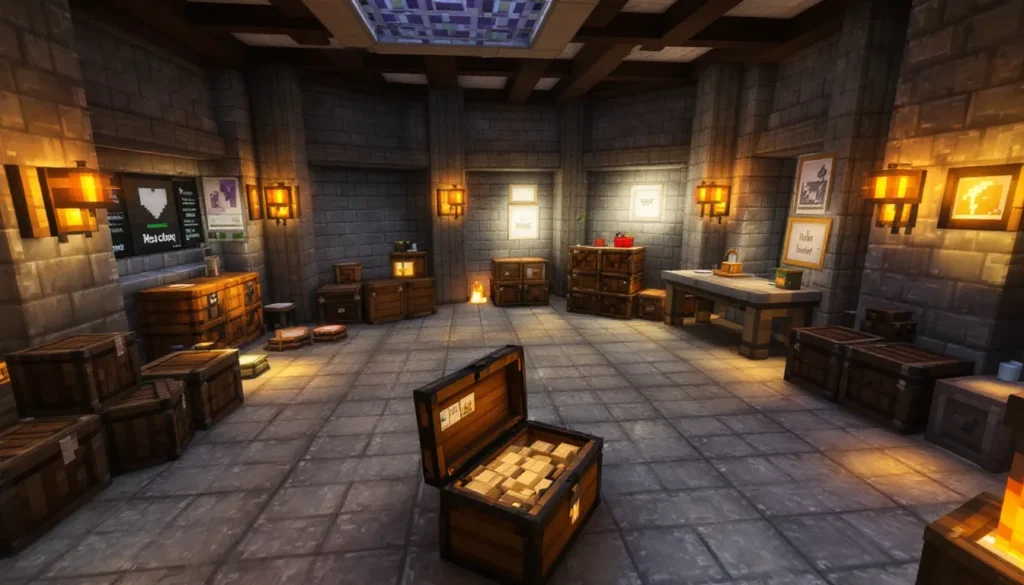
One underrated trick: silk touch suspicious blocks and create an archaeology museum. Build a base room with all suspicious sand/gravel types displayed, then brush them at your leisure. This centralizes loot and lets you work in a controlled environment instead of underwater or in dark ruins. Players on modded servers sometimes automate this with conveyor belts and item sorters, though that’s beyond vanilla capabilities.
Common Mistakes to Avoid When Using the Brush
Breaking suspicious blocks with the wrong tool: The #1 mistake. Using a shovel, letting blocks fall, or triggering TNT in desert temples destroys loot permanently. Always double-check you’re holding the brush before clicking.
Not enchanting brushes: Unenchanted brushes break after 64 uses. Trail ruins alone can have 50+ suspicious blocks. Do the math, enchant your brushes or spend half your time crafting replacements.
Ignoring structure-specific loot: If you’re hunting the Raiser armor trim, ocean ruins won’t help. Learn which structures drop your target item. The Minecraft wiki and modding communities maintain updated loot tables for every structure type.
Forgetting to light up trail ruins: Mobs spawn in dark archaeology sites. Getting killed by a creeper while brushing and losing 30 pottery sherds is peak frustration. Place torches as you explore.
Brushing too fast in multiplayer: On servers with lag, releasing the brush button a fraction too early can reset progress. Overhold by 0.5 seconds to ensure the item drops before you release.
Not using silk touch for relocation: Suspicious blocks can be mined with silk touch and moved. If you find a trail ruin near your base, silk touch the blocks and brush them in your hidden storage room instead of working in a cramped, mob-filled ruin.
Assuming all sand/gravel in structures is suspicious: Not every block in a desert temple is suspicious sand. Only specific blocks contain loot, the rest is regular sand acting as filler. Check the texture carefully.
Skipping desert wells: These tiny structures are easy to overlook while flying across deserts, but they drop exclusive pottery sherds (like the Brewer design). Mark desert well coordinates when you spot them.
Brush Updates and Changes in Recent Minecraft Versions
The brush and archaeology system launched in Minecraft Java Edition 1.20 (Trails & Tales update, June 2023) and Bedrock Edition 1.20.0 simultaneously. Since then, updates have refined mechanics and expanded loot:
1.20.0 (June 2023): Initial release. Introduced brush, suspicious sand, suspicious gravel, pottery sherds, and trail ruins. Four armor trim templates added (raiser, wayfinder, shaper, host).
1.20.1 (July 2023): Fixed brush durability bugs where partial brushing consumed durability. Adjusted suspicious block hitboxes to prevent accidental breaking with other tools.
1.20.2 (September 2023): Trail ruin generation tweaks, increased suspicious gravel spawn rates by ~15% after community feedback about low loot density. Added the “Burn” pottery sherd to trail ruin loot tables.
1.20.3-1.20.4 (December 2023): No archaeology changes. Focus on Bedrock parity and bug fixes.
1.20.5-1.20.6 (April-May 2024): Mending now applies to brushes more efficiently during excavation. Previously, XP orbs only triggered Mending between brushes: now they apply mid-excavation if you’re fighting mobs simultaneously.
1.21 (Tricky Trials update, June 2024): No new archaeology structures, but suspicious gravel added to trial chamber loot pools (non-brushable variant). Brush recipe unchanged.
2026 status (current as of March 2026): The brush remains mechanically identical to its 1.20 debut. No new suspicious block types or structures have been added in recent snapshots. Community speculation suggests the next major update (1.22 or 1.23) may expand archaeology to the Nether or End, introducing suspicious soul sand or suspicious end stone, but Mojang hasn’t confirmed this.
Platform availability: The brush works identically on Java Edition (PC, Mac, Linux) and Bedrock Edition (Windows, Xbox, PlayStation, Switch, iOS, Android). Cross-platform servers handle brush mechanics consistently, no version-specific exploits or behaviors exist as of 2026.
For players on modded versions, the archaeology system integrates well with most gameplay-altering mods. Packs available through texture overhauls often retexture suspicious blocks to make them more distinct, which is helpful for colorblind players or those with visual processing difficulties.
Conclusion
The brush isn’t the flashiest tool in Minecraft, but it’s the only gateway to some of the game’s rarest cosmetics and collectibles. Whether you’re chasing every pottery sherd for completionist bragging rights, hunting the Raiser armor trim to flex on your server, or just enjoying the slower, methodical gameplay archaeology offers, mastering the brush pays off.
Craft it early, enchant it with Unbreaking III, and prioritize trail ruins for maximum loot density. Learn the suspicious block textures, work top-to-bottom, and always, always, double-check you’re holding the brush before clicking. One misplaced shovel swing can erase hours of exploration.
Archaeology rewards patience and preparation. Pack your toolkit, mark your structures, and embrace the grind. The loot won’t come to you, you have to dig it up, one careful brush stroke at a time.