If you’re stepping into Minecraft for the first time, or considering a switch between versions, you’ve probably heard the Java versus Bedrock debate. Both editions run the same game, but they’re fundamentally different under the hood. Minecraft Bedrock powers consoles, mobile, and Windows, while Java remains the PC classic. Your choice shapes everything: which platforms you play on, how your world performs, what mods you can use, and whether your friends on different devices can join you. This guide breaks down what Minecraft Bedrock actually is, how it stacks up against Java, and why it might be the right pick for you in 2026.
Table of Contents
ToggleKey Takeaways
- Minecraft Bedrock is a cross-platform edition built in C++ that runs on Windows, consoles, and mobile devices with seamless multiplayer through Xbox Live accounts.
- Bedrock delivers superior performance on standard hardware and supports ray tracing on compatible devices, making it ideal for players without high-end gaming PCs.
- Cross-platform play is Bedrock’s defining advantage—invite friends from PlayStation, Switch, PC, or mobile to the same world without third-party hosting or complex setup.
- Minecraft Bedrock’s cleaner UI, official mod support, and cloud-backed progression tracking across devices make it more accessible for casual and console gamers.
- Choose Bedrock if you prioritize multiplayer accessibility, console gaming, or playing on mobile; Java Edition remains superior for hardcore modders and PC-only players.
What Is Minecraft Bedrock?
Minecraft Bedrock is the modern, cross-platform version of Minecraft built in C++ (unlike Java Edition’s Java foundation). It’s called “Bedrock” because Microsoft designed it to run on a single stable foundation across multiple devices, hence the name. You’ll find it on Windows 10/11, Xbox One, Xbox Series X
|
S, Nintendo Switch, PlayStation 4/5, and mobile platforms (iOS and Android).
Bedrock isn’t a stripped-down or “lite” version. It has virtually everything Java has: survival mode, creative, adventure mode, the Nether, the End, enchantments, brewing, farming, and the same core loop that’s made Minecraft legendary. The major distinction is under the hood: Bedrock runs C++ code optimized for multiple hardware architectures, which is why it can seamlessly hit consoles, phones, and PCs simultaneously.
One critical feature Bedrock added is cross-platform multiplayer through Xbox Live accounts. Load up on your Switch, connect with someone on PC, and you’re in the same world. Try that on Java Edition without hacks, it’s not happening. This alone has reshaped how millions of players approach Minecraft.
Key Differences Between Bedrock and Java
Platform Availability and Cross-Play
Java Edition locks you to PC (Windows, Mac, Linux). Bedrock spreads across consoles, mobile, and Windows, making it the version for couch co-op or gaming with friends on different devices. Need proof? Pick any Nintendo Switch, pop in Minecraft Bedrock, and sync your Microsoft account, you’ve got cross-platform play built in.
Java’s strength is its community, modding scene, and the ability to host custom servers. Bedrock’s strength is accessibility: you don’t need a high-end gaming PC, and your friends on PlayStation can play alongside your phone.
Performance and Graphics
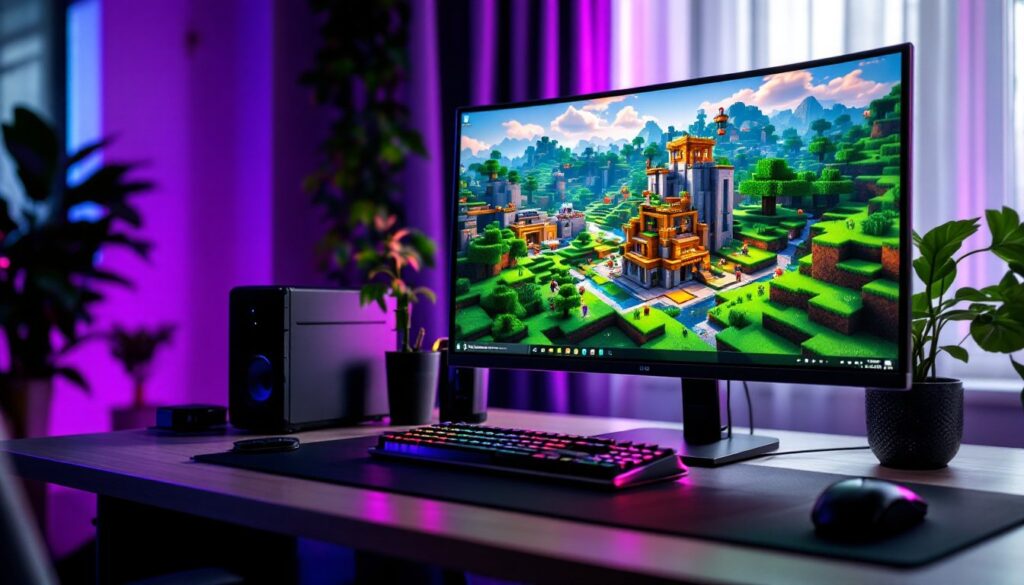
Bedrock typically runs smoother on lower-end hardware. A mid-range Windows laptop will handle Bedrock better than Java, especially in large worlds with tons of mine craft block entities. Frame rates feel more consistent, and you’re less likely to hit stuttering in dense areas.
Graphically, Bedrock supports ray tracing on compatible devices (high-end Windows PCs, Xbox Series X
|
S, PlayStation 5). Java has optifine for visual tweaks, but native ray tracing is a Bedrock exclusive. If you’re chasing that photorealistic Minecraft castle render, Bedrock with ray tracing is your lane.
Render distance also favors Bedrock: console versions can push further views without tanking performance. Java’s render distance is capped lower on average hardware, though high-end rigs can stretch it further with tweaks.
Why Choose Minecraft Bedrock?
Pick Bedrock if cross-platform play matters to you. Hosting a Realm (Microsoft’s official server service) lets up to 10 players join from any device, any platform. Java requires third-party hosting or complex setup.
Bedrock is the answer for console and mobile gamers. You want to build a mine craft castle on PS5? Bedrock only. Playing Minecraft on your iPad during a flight? Same version. This ecosystem approach is unbeatable for families or friend groups scattered across devices.
Performance on standard hardware wins for Bedrock, too. Java demands more CPU grunt and RAM optimization. If your rig isn’t beefy, Bedrock feels more responsive and gives you better default settings.
Bedrock add-ons have also matured significantly. While not traditional mods like Java’s, the official mod support across all platforms means you can grab community-made content directly in-game without wrestling with installation. That’s huge for casual players.
Survival purists also appreciate Bedrock’s consistent difficulty across platforms. Java’s behavior varies by device: Bedrock standardizes it, making playthroughs more predictable. And if you care about achievements and progression tracking, Bedrock ties them to your Microsoft account across all platforms, a feature Java can’t match.
Getting Started with Bedrock: Installation and Setup
Starting on Bedrock is straightforward. If you own Windows 10/11, grab it from the Microsoft Store (not Java, different app). Console players: it’s bundled or available through your platform’s store. Mobile? App Store or Google Play.
Create or sign into your Microsoft account. This is non-negotiable for Bedrock: it’s how cross-play works. Once logged in, you’re synced across devices. Your skin, your worlds, your progress, all cloud-backed.
For Minecraft mine craft building and mine craft block crafting, Bedrock’s UI is cleaner than Java’s. The crafting menu is organized by recipe type, making it faster to locate recipes. The creative mode inventory is sorted similarly, which speeds up builders hunting specific blocks.
If you’re new and exploring the world, consider starting in a Realm with a friend or launching a local co-op session. Bedrock’s invitation system is plug-and-play, no port forwarding, no server config. Hit invite, friend accepts, done.
Settings worth tweaking: Enable Autosave if building something elaborate (Bedrock’s default). Adjust render distance based on your device (higher = prettier but slower). For mine craft building projects, bumping chunk preloading helps when exploring.
One note: Bedrock updates frequently and rolls patches monthly. Your game auto-updates, so you’re always on the latest version. Java requires manual updates, which some appreciate for stability: others find Bedrock’s rolling updates streamlined.
Conclusion
Minecraft Bedrock isn’t replacing Java, it’s the modern multiplayer-first version optimized for 2026’s gaming landscape. If you play on console, mobile, or want effortless cross-platform co-op, Bedrock is the pick. It performs better on average hardware, has official mod support, and lets you play with anyone, anywhere.
Java remains the choice for hardcore modders, community servers, and PC purists. But for everyone else, especially casual players and console gamers, Bedrock is where Minecraft’s future lives. Pick your edition, grab your pickaxe, and start building.