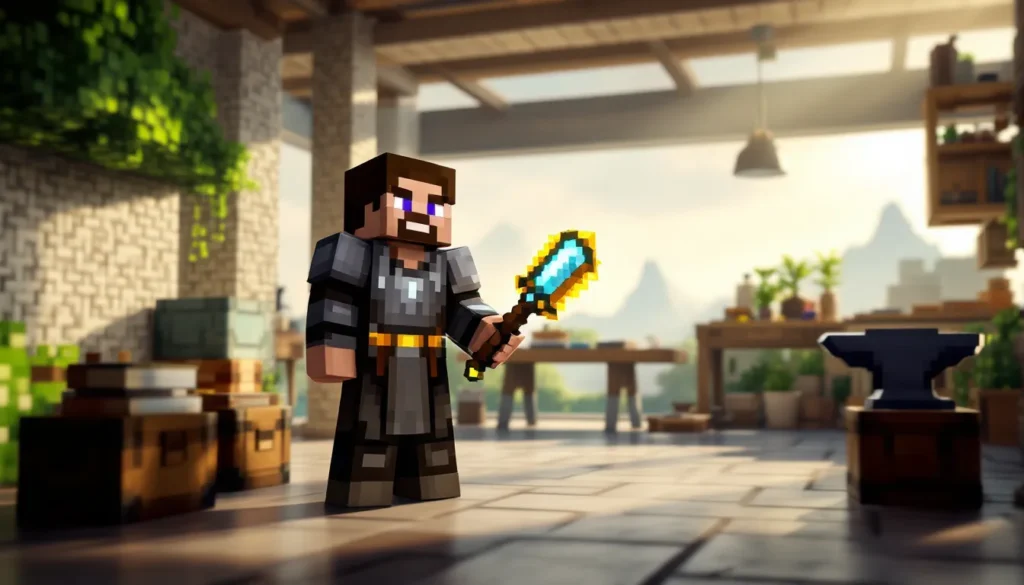
Vanilla Minecraft is great, until it isn’t. After your tenth diamond pickaxe and hundredth cobblestone tower, the formula starts to feel predictable. That’s where the Better Minecraft modpack steps in, transforming the familiar blocky world into something genuinely fresh. With overhauled biomes, new combat mechanics, and dozens of dungeons to explore, Better Minecraft doesn’t just add content, it reimagines the entire experience.
As of early 2026, Better Minecraft remains one of the most downloaded modpacks on CurseForge, praised for striking that rare balance between complexity and accessibility. Whether you’re a veteran player craving challenge or someone who wants Minecraft to feel new again, this modpack delivers. Let’s break down what makes it tick, how to get it running, and what you need to know before diving in.
Table of Contents
ToggleKey Takeaways
- Better Minecraft modpack transforms vanilla Minecraft with over 200 synergistic mods including enhanced biomes, new combat mechanics, and dozens of hand-crafted dungeons that refresh the core gameplay experience.
- The modpack offers two versions—Forge (broader compatibility and tech mods) and Fabric (15-20% better performance)—both targeting Minecraft 1.20.1 and requiring 6GB+ allocated RAM on mid-tier systems.
- Enhanced combat with Epic Fight animations and RPG progression systems make exploration and dungeon raids strategically challenging, rewarding players who avoid vanilla speedrun tactics and prepare with proper gear and potions.
- Quality-of-life features like Just Enough Items recipe lookup, Waystones for fast travel, and upgraded storage systems cut tedious backtracking while maintaining balanced gameplay.
- Better Minecraft strikes a balance between complexity and accessibility, making it ideal for returning players seeking freshness without overwhelming difficulty or requiring hours of wiki research.
What Is the Better Minecraft Modpack?
Better Minecraft is a curated modpack designed to enhance every aspect of the game without straying too far from Minecraft’s core identity. Developed by ShimmyMySherbet and the Forge/Fabric modding communities, it bundles over 200 mods into a single, cohesive package that expands exploration, combat, building, and progression.
Unlike kitchen-sink modpacks that throw everything at the wall, Better Minecraft focuses on synergy. Mods like Biomes O’ Plenty, Dungeon Crawl, Tinkers’ Construct, and Farmer’s Delight work together to create a world that feels both alien and familiar. You’ll still mine, craft, and build, but now you’re doing it in a crimson autumn forest while dodging new mobs and planning your next dungeon raid.
The modpack is available in two main versions: Better Minecraft Forge and Better Minecraft Fabric. Both target Minecraft 1.20.1 as of the latest stable release in early 2026, though updates for 1.20.4 are in beta testing. It’s compatible with Windows, macOS, and Linux, and can run on mid-tier systems with 6GB+ of allocated RAM.
What sets Better Minecraft apart is accessibility. The modpack doesn’t demand hours of wiki-diving to understand obscure mechanics. Most additions are intuitive, new crops work like vanilla farming, new weapons slot into existing combat, and new biomes don’t break progression. It’s Minecraft, but better.
Key Features That Make Better Minecraft Stand Out
Enhanced Biomes and World Generation
Biomes O’ Plenty and Oh The Biomes You’ll Go transform world generation into something genuinely exciting. Forget endless plains and oak forests, now you’re exploring glowing mushroom groves, volcanic wastelands, and alpine highlands with weather effects that actually matter.
Each biome feels distinct. The Lavender Fields are peaceful and resource-rich, perfect for early-game bases. The Undergarden dimension adds a new mid-game challenge with hostile mobs and rare ores. Terralith datapack integration (in some versions) ensures terrain is more dramatic, cliffs, caves, and valleys that make exploration feel like an adventure again.
World gen changes also affect structures. Villages spawn with biome-specific architecture, and new ruins dot the landscape, hinting at lore without beating you over the head with it. Players seeking realistic visual upgrades will find Better Minecraft’s world gen pairs beautifully with shader packs.
Overhauled Combat and RPG Elements
Combat has teeth now. The modpack integrates Epic Fight for animation-driven melee combat and Simply Swords for weapon variety. Swords have different attack patterns, spears offer reach, and hammers deal AOE damage. Timing matters, button-mashing gets you killed.
RPG progression comes via Level Up. Reloaded and Pufferfish’s Skills. Killing mobs, mining, and crafting earn XP that unlocks perks: faster mining speed, increased health, better loot drops. It’s not a full-blown RPG system, but it adds enough progression to make grinding feel rewarding.
Magic users get Ars Nouveau and Iron’s Spells ‘n Spellbooks, offering spell crafting and mana management. You can build a mage tower and rain fireballs, or stick to melee, both playstyles are viable.
New Mobs, Bosses, and Dungeons
Alex’s Mobs adds 80+ creatures, from tameable roadrunners to hostile bone serpents. These aren’t reskinned zombies, each mob has unique AI and drops. The Mimicube disguises itself as a chest. The Void Worm is a late-game boss that requires preparation and strategy.
Dungeon Crawl and When Dungeons Arise populate the world with hand-crafted structures. Towers, keeps, and underground labyrinths offer loot and risk. Some dungeons are easy early-game romps: others, like the Illager Fortress, require enchanted gear and potions.
Boss fights are legitimately challenging according to player feedback on gaming forums discussing modpack balance in 2026. The Ender Guardian in the End dimension has multiple phases and summons minions. No more one-shotting bosses with a sharpness V sword, you’ll need to learn attack patterns.
Quality of Life Improvements
Just Enough Items (JEI) provides in-game recipe lookup. No more tabbing to the wiki every five minutes. Inventory Tweaks and Mouse Tweaks streamline item management. Waystones let you fast-travel between discovered points, cutting down on tedious backtracking.
Sophisticated Backpacks and Iron Chests expand storage without breaking balance. The backpacks are upgradable and can auto-sort, which is a godsend during long mining trips. Farmer’s Delight overhauls cooking with new crops, recipes, and hunger mechanics that reward meal prep.
Minor touches like Ambient Sounds and Sound Physics Remastered make the world feel alive. Caves echo, forests rustle, and rain sounds different under shelter. It’s the kind of polish that vanilla lacks.
How to Install Better Minecraft Modpack
System Requirements and Performance Optimization
Better Minecraft isn’t lightweight. Here’s what you need:
- Minimum: Intel i5-8400 or Ryzen 5 2600, 8GB RAM (6GB allocated to Minecraft), GTX 1050 Ti or equivalent, 5GB storage
- Recommended: Intel i7-10700 or Ryzen 7 3700X, 16GB RAM (8-10GB allocated), RTX 3060 or RX 6600 XT, SSD storage
Performance mods are pre-included: Rubidium (Forge) or Sodium (Fabric) for rendering optimization, Starlight for lighting engine improvements, and FerriteCore for RAM efficiency. Even so, expect 60-80 FPS on medium settings with recommended specs, 40-50 on minimum.
To optimize further:
- Lower render distance to 10-12 chunks
- Disable dynamic lighting in video settings
- Use Optifine or Oculus for additional performance tweaks (Forge version)
- Allocate 8GB RAM max, more isn’t always better and can cause garbage collection lag
If you’re running a server for friends using multiplayer hosting services, expect to need at least 6GB dedicated RAM for 4-6 players.
Step-by-Step Installation Guide
Using CurseForge Launcher (Easiest):
- Download and install the CurseForge app
- Go to Minecraft → Browse Modpacks → Search “Better Minecraft”
- Select Better Minecraft [FORGE] or Better Minecraft [FABRIC]
- Click Install (downloads ~500MB of mods and dependencies)
- Once installed, click Play
- Allocate RAM: Settings → Minecraft → scroll to “Better Minecraft” → three-dot menu → Profile Options → set memory to 6-10GB
Manual Installation (For Advanced Users):
- Install Minecraft 1.20.1 via official launcher
- Download and install Forge or Fabric for 1.20.1
- Download Better Minecraft from CurseForge as a ZIP
- Extract and copy the
modsfolder to.minecraft/ - Copy
configanddefaultconfigsfolders as well - Launch Minecraft with the Forge/Fabric profile
First launch takes 5-10 minutes as mods initialize. If it crashes, check the crash log in .minecraft/crash-reports/ and verify you’re using the correct Minecraft version.
For players exploring extensive mod collections, Better Minecraft serves as an excellent foundation.
Better Minecraft Version Comparison: Fabric vs. Forge
Better Minecraft comes in two flavors: Forge and Fabric. Which should you choose?
Better Minecraft [FORGE]:
- Mod count: ~220 mods
- Performance: Good, but heavier than Fabric
- Compatibility: Broader mod support, most major mods prioritize Forge
- Popular exclusive mods: Create (mechanical automation), Mekanism (tech/power systems), Tinkers’ Construct
- Best for: Players who want the full kitchen-sink experience with tech mods and maximum content
Better Minecraft [FABRIC]:
- Mod count: ~180 mods
- Performance: 15-20% better FPS on average
- Compatibility: Smaller mod library, but most performance mods are Fabric-first
- Popular exclusive mods: Better performance optimization stack (Sodium, Lithium, Phosphor)
- Best for: Players with lower-end systems or those prioritizing smooth performance
Both versions include core features, biomes, dungeons, combat overhauls, and RPG elements. The main difference is tech/automation depth (Forge wins) versus raw performance (Fabric wins).
You cannot mix Forge and Fabric mods. Pick one and commit. As of March 2026, both versions are actively maintained, with Forge receiving content updates slightly faster due to its larger modding community.
Community modding platforms like Nexus Mods host additional standalone mods that can complement either version, though compatibility checking is essential.
If you’re unsure, start with Fabric. It runs smoother, and you can always switch to Forge later if you crave automation mods.
Best Tips for Playing Better Minecraft
Starting Your Adventure: Early Game Strategies
Don’t rush. Better Minecraft punishes the vanilla speedrun mentality. Mobs hit harder, hunger depletes faster with Spice of Life: Carrot Edition (eat varied foods or suffer penalties), and caves are more dangerous.
Day 1 priorities:
- Gather wood and cobblestone as usual, but also collect berries and mushrooms for early food variety
- Craft a sleeping bag (from Comforts mod) to skip night without setting spawn
- Avoid deep caves until you have iron armor, cave spiders, mimics, and dwellers spawn frequently
Day 2-3:
- Find a village if possible, trading is buffed, and some villagers offer unique items
- Craft a backpack early (leather + string), inventory management is critical
- Set up a Waystone at your base for fast travel
Explore cautiously. That innocent-looking chest might be a Mimicube. Surface structures often contain early-game loot like enchanted books and iron gear, so scout before mining.
Players interested in creative building styles will appreciate the expanded block palette from mods like Macaw’s Windows and Chipped.
Exploring Dungeons and Defeating Bosses
Dungeons are the heart of mid-to-late game progression. Here’s how to tackle them:
Preparation checklist:
- Full iron armor minimum, diamond preferred
- Enchanted weapon (Sharpness II+, Looting helps)
- Stack of torches (dungeons are dark and spawn mobs constantly)
- Food variety (at least 3 different types for Spice of Life buffs)
- Potions: Healing, Strength, and Fire Resistance for lava-heavy dungeons
- Blocks and a pickaxe, sometimes you need to mine your way out
Combat tips:
- Learn dodge mechanics from Epic Fight, rolling has i-frames
- Shields block most attacks but have cooldowns, don’t spam
- Pull enemies one at a time, dungeon mobs in groups are deadly
- Boss arenas often have environmental hazards, watch for spike traps and lava flows
The Twilight Forest dimension (if included in your version) has structured boss progression. Don’t fight the Lich before the Naga, or you’ll get wrecked.
Loot from dungeons includes unique weapons (with special enchantments), spell scrolls, and rare building blocks. It’s worth the risk, but don’t get greedy, knowing when to retreat is a skill.
Building and Crafting with New Blocks and Items
Chipped adds 40+ variants of most vanilla blocks. You can now build with limestone bricks, marble pillars, terracotta patterns, and dozens of wood types from new trees. The chisel tool converts blocks between variants, making themed builds easier.
Macaw’s mods (Doors, Windows, Bridges, Roofs) add furniture and structural pieces that snap together cleanly. You can finally build a house with proper windows and shutters.
Crafting tips:
- Use JEI (Just Enough Items) to look up recipes, right-click any item to see uses
- Tinkers’ Construct (Forge version) lets you craft custom tools with modifiers, invest time learning this system
- Sophisticated Backpacks are upgradable, add tool slots, auto-pickup, or even a crafting table
For storage, Iron Chests and Storage Drawers are your friends. Drawers auto-stack and display items, perfect for bulk storage.
Tech-focused players on the Forge version should prioritize Create for automation. Conveyor belts, mechanical saws, and crushers streamline resource processing without feeling too modded.
Those working on datapack customization can further tailor the Better Minecraft experience to specific build themes.
Common Issues and Troubleshooting
Crash Fixes and Performance Problems
Game crashes on startup:
- Check Java version, Better Minecraft requires Java 17 (not 8 or 11). Download from Adoptium if needed
- Verify allocated RAM, too little (under 6GB) or too much (over 12GB) causes issues
- Update graphics drivers, outdated NVIDIA/AMD drivers cause rendering crashes
- Read the crash log,
.minecraft/crash-reports/lists the problematic mod. Search the error on CurseForge forums
Common crash culprits: Oculus + Rubidium conflicts (disable one), Optifine breaking shader support (use Oculus instead on Forge), or outdated mod versions.
Low FPS or stuttering:
- Lower render distance to 8-10 chunks
- Disable dynamic entity lighting and particles in video settings
- Use FerriteCore and Starlight (pre-included, but verify in mod list)
- If using shaders, try performance-focused packs like BSL Shaders or Complementary Shaders
- Close background apps, Chrome and Discord are RAM hogs
Tutorials on optimizing gaming setups cover broader system tweaks that help with heavily modded Minecraft.
Memory leak / RAM usage spikes:
- Add JVM arguments:
-XX:+UseG1GC -XX:MaxGCPauseMillis=50 -XX:G1HeapRegionSize=32M - Restart Minecraft every 2-3 hours during long sessions
- Disable mods you’re not using (see Customization section)
Mod Compatibility and Conflicts
Adding external mods:
Not all mods play nice with Better Minecraft. Before adding:
- Check the mod’s supported Minecraft version (must be 1.20.1)
- Verify Forge or Fabric compatibility
- Test in a separate profile first, don’t corrupt your main save
Known conflicts:
- Optifine + Rubidium/Oculus, crashes or visual bugs. Use one or the other
- Some biome mods + Terralith, world gen conflicts can cause chunk errors
- Duplicate mods, if you manually add a mod already included, expect crashes
Fixing conflicts:
- Remove the most recently added mod
- Check
logs/latest.logfor “incompatibility” warnings - Use Mod Menu (Fabric) or Configured (Forge) to adjust mod settings
- Join the Better Minecraft Discord for community troubleshooting
If a specific feature breaks, say, Waystones stop working, disable it in the config folder and find an alternative like FTB Essentials teleportation.
For players managing extensive mining operations, conflicts with inventory or storage mods are the most common pain points.
Better Minecraft vs. Other Popular Modpacks
How does Better Minecraft stack up against the competition?
Better Minecraft vs. RLCraft:
- RLCraft is brutally difficult, hardcore survival with permadeath stakes. Better Minecraft is challenging but fair.
- RLCraft has fewer biomes and dungeons, focusing on combat difficulty. Better Minecraft emphasizes exploration and variety.
- Verdict: RLCraft for masochists, Better Minecraft for balanced difficulty.
Better Minecraft vs. All the Mods 9 (ATM9):
- ATM9 is a kitchen-sink pack with 400+ mods, including heavy tech and magic. Better Minecraft is more focused.
- ATM9 requires high-end hardware. Better Minecraft runs on mid-tier systems.
- Verdict: ATM9 for players who want everything, Better Minecraft for curated gameplay.
Better Minecraft vs. Vault Hunters:
- Vault Hunters is a roguelike modpack centered on procedurally generated vaults. Gameplay loop is repetitive but addictive.
- Better Minecraft offers open-world freedom and diverse progression paths.
- Verdict: Vault Hunters for structured runs, Better Minecraft for sandbox exploration.
Better Minecraft vs. Create: Above and Beyond:
- Create: Above and Beyond is a tech-focused modpack with gated progression and questlines. Better Minecraft includes Create but doesn’t force you to use it.
- Above and Beyond is linear: Better Minecraft is freeform.
- Verdict: Above and Beyond for automation fans, Better Minecraft for mixed playstyles.
Why choose Better Minecraft? It’s the Goldilocks modpack, not too simple, not overwhelming, just right for players who want Minecraft to feel fresh without relearning everything.
Customizing Your Better Minecraft Experience
Adding or Removing Mods
Better Minecraft is modular. You can add or remove mods to suit your preferences.
To remove a mod:
- Navigate to
.minecraft/mods/ - Find the mod’s
.jarfile (use JEI to identify the mod name) - Move (don’t delete) the file to a backup folder
- Launch and test, if it crashes, a dependency was removed
Safe mods to remove:
- Ambient sounds / visual mods (no gameplay impact)
- Specific biome or mob mods if you dislike them
- Waystones if you prefer no fast-travel
Risky to remove:
- Core library mods (Curios API, Geckolib, Architectury), other mods depend on these
- JEI / REI, you’ll lose recipe lookup
To add mods:
- Download the mod
.jarfor Minecraft 1.20.1 (Forge or Fabric) - Place in
.minecraft/mods/ - Check for required dependencies (listed on the mod’s CurseForge page)
- Test in a backup world first
Recommended additions:
- AppleSkin, shows hunger/saturation values
- Xaero’s Minimap + World Map, better navigation
- FTB Chunks, claim and protect your base on servers
Always read the mod description for compatibility notes. Some mods explicitly conflict with Better Minecraft’s included features.
Shader Packs and Texture Enhancements
Shaders transform Better Minecraft from pretty to breathtaking.
Installing shaders (Forge with Oculus or Fabric with Iris):
- Download a shader pack (
.zipfile) from CurseForge or shader communities covering visual mods - Place in
.minecraft/shaderpacks/ - In-game: Options → Video Settings → Shader Packs → select your shader
Top shader recommendations for Better Minecraft:
- Complementary Shaders, balanced performance and visuals, works great with modded biomes
- BSL Shaders, lightweight, 5-10 FPS drop, good for mid-tier systems
- Sildur’s Enhanced Default, subtle improvements, minimal performance hit
- SEUS Renewed, cinematic quality, requires high-end GPU
Texture packs:
Most vanilla resource packs work, but some don’t support modded blocks.
- Faithful 32x, HD vanilla style, supports many mods
- Mizuno’s 16 Craft, vibrant and detailed
- Stay True, subtle vanilla enhancements
Combine shaders + texture packs for maximum effect. Complementary Shaders + Faithful 32x is a popular combo.
Performance tip: Disable shader settings like bloom, motion blur, and depth of field for 10-15 FPS gains with minimal visual loss.
Conclusion
Better Minecraft doesn’t reinvent the wheel, it upgrades every spoke, adds suspension, and throws in a turbo for good measure. It’s the modpack that reminds you why Minecraft captivated millions in the first place, while fixing most of the staleness that creeps in after your hundredth world.
Whether you’re diving into overhauled dungeons, experimenting with spell crafting, or just building a cabin in a lavender field, Better Minecraft respects your time and playstyle. It’s accessible enough for returning players but deep enough to keep veterans engaged.
Start with the Fabric version if you’re hardware-conscious, or go Forge if you want the full mod buffet. Either way, allocate that RAM, grab CurseForge, and prepare to rediscover the game. Your pickaxe is waiting.