If you’ve been gaming across multiple devices, phone, console, PC, and wished you could play Minecraft seamlessly on all of them, Bedrock Edition is exactly what you’ve been waiting for. Unlike Java Edition, which is locked to Windows, macOS, and Linux, Minecraft Bedrock Edition runs on Windows 10/11, Xbox One/Series X
|
S, PlayStation 4/5, Nintendo Switch, iOS, Android, and even Windows Mobile. This unified ecosystem means your friends on their Switch can join your world on your PC, and you can pick up your Realms subscription from any device. Whether you’re interested in mine craft online multiplayer, exploring mine craft education edition for learning, or considering mine craft 2-style features already available in Bedrock, this guide covers everything you need to know about the most accessible version of Minecraft in 2026.
Table of Contents
ToggleKey Takeaways
- Minecraft Bedrock Edition enables cross-platform play across Windows, Xbox, PlayStation, Nintendo Switch, and mobile devices, letting friends on different platforms play together seamlessly—something Java Edition cannot offer.
- Bedrock’s ecosystem includes Realms Plus ($8/month for private servers), the Marketplace for cosmetics, and add-ons that are easier to apply than traditional mods, making it the most accessible version for casual gamers.
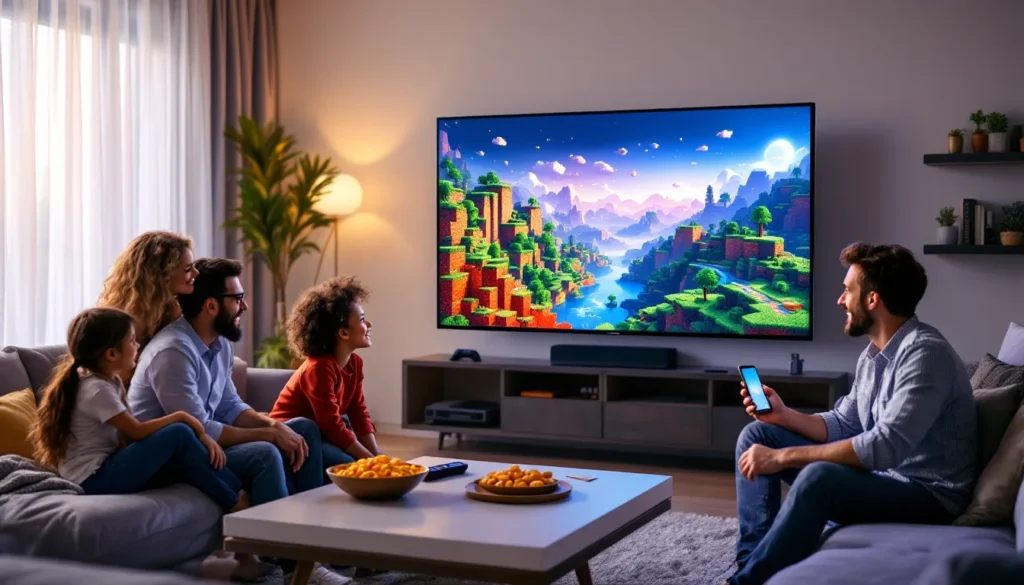
- Minecraft Bedrock Edition supports local split-screen multiplayer for 2-4 players on console without requiring additional subscriptions, making it ideal for family gaming and couch co-op experiences.
- Cross-play in Bedrock requires a Microsoft account for syncing inventory, achievements, and friends lists across devices, while console online play requires separate platform subscriptions (PlayStation Plus, Xbox Game Pass, Nintendo Switch Online).
- Players switching from Java Edition should expect mechanical differences in redstone behavior, water physics, and terrain generation, so learning Bedrock-specific mechanics is essential for optimal gameplay.
What Is Minecraft Bedrock Edition and Why It Matters
Minecraft: Bedrock Edition is the cross-platform version of Minecraft built on the “Bedrock” engine, Mojang’s modern foundation designed for rapid updates and multi-platform support. It includes Windows 10/11, Xbox consoles, PlayStation, Nintendo Switch, and mobile devices all under one ecosystem.
What makes Bedrock matter? It eliminates the frustration of platform fragmentation. A player on Android can fire up a Realms world and work alongside someone on Xbox Series X without any compatibility headaches. This matters because traditional gaming silos, where console players can’t touch PC players, are finally breaking down here.
Bedrock also introduced the Minecraft Marketplace, letting creators sell skins, texture packs, worlds, and mash-ups directly in-game. It’s not like Java’s mod community, but it’s faster to consume and officially supported. For casual gamers and younger players especially, this removes the friction of hunting forums for content.
Platform Compatibility and Device Support
Here’s the breakdown: Bedrock runs on Windows 10/11, Xbox One, Xbox Series S
|
X, PlayStation 4/5, Nintendo Switch, Android, iOS, and Windows Mobile. Java Edition is stuck on Windows, macOS, and Linux, period.
The real magic is that these Bedrock platforms can play together online. Sign in with your Microsoft account, and your inventory, achievements, and friends list sync across devices. You can start building on your tablet during lunch and finish on your console at home.
One critical note: Java and Bedrock cannot play together. If your friend insists on Java Edition for technical reasons (mod support, specific mechanics), you’re separated. But within the Bedrock family, cross-play is seamless. Recent gaming coverage and Xbox updates highlight how Game Pass integration has accelerated Bedrock adoption on PC and Xbox, making it the de facto standard for console players.
Key Features That Set Bedrock Apart From Java Edition
Cross-Platform Multiplayer: This is the headline feature. Java locks you to your OS: Bedrock connects everyone. Load a world, invite friends from any device, and play together. No messy port-forwarding or server hosting required.
Marketplace and Add-Ons: Bedrock’s Marketplace lets you buy cosmetics and world templates. Add-ons (not traditional mods) modify entity behavior and block appearance. They’re easier to apply than Java mods but less customizable.
Realms Plus: Bedrock’s subscription model ($8/month) gives you a private server, content packs, and monthly world updates. Java Realms exist but work differently. Bedrock Realms scales better for casual players.
Split-Screen Local Multiplayer: Console versions support 2-4 player split-screen, play together on one TV without online connectivity. Java has no built-in split-screen.
Integrated Server Browser: Bedrock’s client shows featured servers built-in. Java requires third-party launchers or community lists. The practical Minecraft Bedrock guide walks through these features and their day-to-day utility.
Terrain and Mechanics Differences: Bedrock generates worlds slightly differently than Java. Stronghold placement, water physics, and some redstone behavior diverge. Neither is “better”, just different. If you’re switching from Java, expect a brief adjustment.
Getting Started: Installation and First Steps
Installation is straightforward. Grab Bedrock from the Microsoft Store (Windows), your console’s digital store (PlayStation, Xbox, Switch), or your phone’s app store (iOS via Apple App Store, Android via Google Play). Minecraft Preview (a separate app) lets you test upcoming features early, useful if you want to play with experimental blocks before they hit the stable version.
Sign in with a Microsoft Account: This is mandatory for cross-play, Realms, and Marketplace access. If you have a legacy Mojang account, you’ll migrate it. Don’t skip this: without it, you’re isolated to local play only.
Back Up Worlds Before Betas: The Minecraft Preview app and Android beta builds let you test new features, but they can be unstable. Always back up worlds before jumping into betas, losing progress to a crash stings.
Adjust Graphics and Controls: Bedrock runs on a wide range of hardware. Lower-end phones and older consoles can handle it, but you may need to tweak render distance and particles. Performance matters more than visuals on mobile.
Multiplayer, Realms, and Cross-Platform Play
Online multiplayer in Bedrock works through Microsoft accounts. Once logged in, you can invite friends to your world or join theirs, assuming you’re both on the same platform (e.g., both on console or both on mobile). Cross-platform play requires Realms or a featured server.
Realms Plus ($8/month) is the easiest route. You get a private server that stays online 24/7, up to 10 player slots, and monthly content packs. The subscription includes Game Pass for console players, that’s a significant value add.
Featured Servers are public or semi-public worlds hosted by creators. The server browser in-game lets you browse, join, and chat. They’re free but often have cosmetic stores.
Console Online Requirements: Playing online on PlayStation, Xbox, or Switch requires a platform subscription (PlayStation Plus, Xbox Game Pass Core/Live Gold, Nintendo Switch Online). Bedrock itself is free, but online access costs extra on console.
Local Split-Screen: If you’re on console, you can invite up to 3 local players to share a screen without paying for individual subscriptions. This is huge for families. PC and mobile don’t support local split-screen.
A quick reminder: Java and Bedrock players can never play together, even if both sides have a server set up. They’re architecturally incompatible. If your friend group is split, you’ll need to agree on a platform.
Essential Tips for New Bedrock Players
Enable Cross-Play in Settings: If you want friends from other devices, go to Settings > Multiplayer and toggle “Allow Cross-Platform Play.” It’s on by default but worth confirming.
Learn Bedrock-Specific Mechanics: Redstone works slightly differently in Bedrock. Pistons, hoppers, and observers have quirks compared to Java. If you’re experienced with Java, don’t assume parity. Watch a quick YouTube comparison or check Pure Xbox for community guides if you’re on console.
Explore the Marketplace Thoughtfully: It’s easy to impulse-buy skins. Set a budget or avoid the store until you’ve played 20+ hours. Most gameplay enhancements are free.
Back Up Worlds Regularly: Bedrock worlds are tied to your Microsoft account, but hardware can fail. Export your world files occasionally, especially if you’re building something irreplaceable.
Use Minecraft Education Edition for Learning: If you’re teaching or studying, Minecraft Education Edition (based on Bedrock) offers structured lessons and chemistry features. It’s free for educators and students through school accounts. This bridges the gap between mine craft education edition and the standard game, same engine, teaching-focused tools.
Join Communities: The Bedrock community is thriving. Reddit’s r/Minecraft, Discord servers, and YouTube creators share seeds, designs, and tips. Finding the best Minecraft seeds for Bedrock Edition can jumpstart your next survival world with hand-crafted spawns and villages.
Craft Essential Items Early: Learning how to craft a ladder in Minecraft might seem basic, but having early access to vertical mobility shapes your builds. Sticks + wooden planks = ladders. Simple but critical.
Conclusion
Minecraft Bedrock Edition is the modern, unified version of Minecraft. It connects players across Windows, Xbox, PlayStation, Switch, and mobile, something Java can’t do. With Realms Plus subscriptions, Marketplace cosmetics, add-ons, split-screen couch multiplayer, and seamless cross-platform play, Bedrock is the practical choice for most gamers in 2026. If you’re jumping in for the first time or switching from Java, expect minor mechanical differences and embrace the ecosystem. The barrier to playing together just got a lot lower.