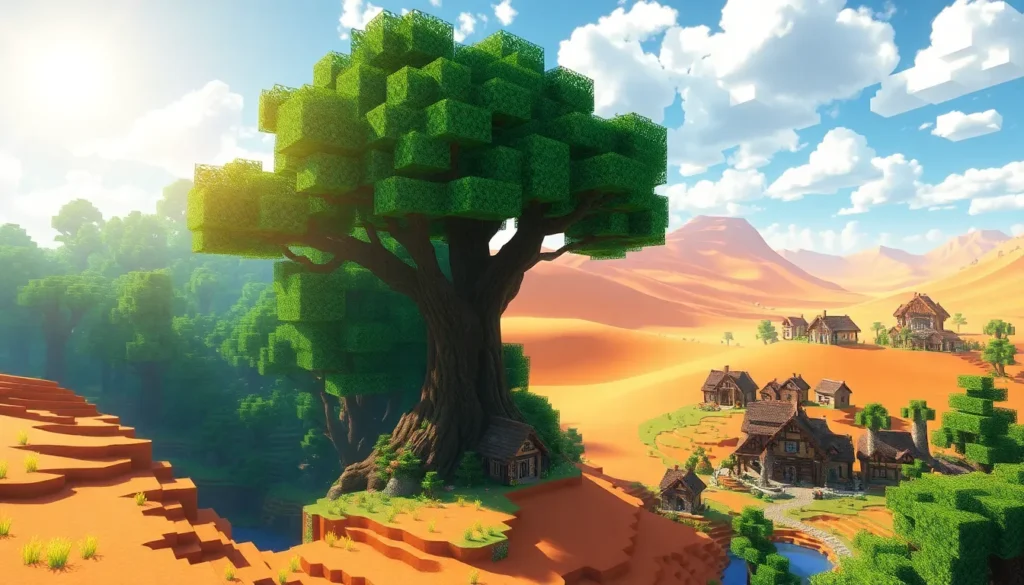
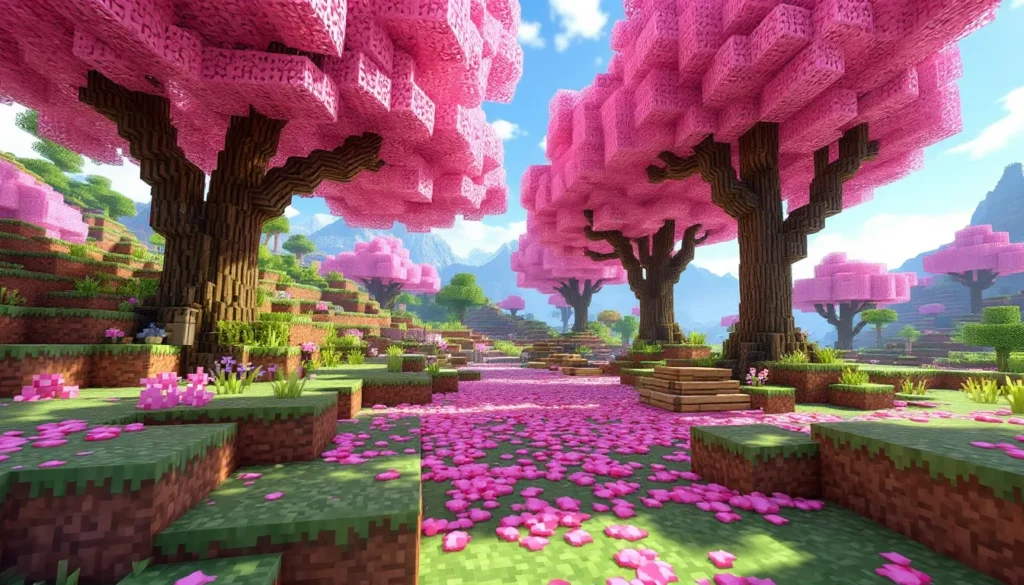
Minecraft’s blocky, pixelated aesthetic has inspired millions of artists worldwide to pick up pencils, styluses, and tablets to create fan art that ranges from simple sketches to breathtaking masterpieces. Whether you’re a gamer who wants to bring your favorite mobs to life on paper or an artist looking to explore a unique visual style, Minecraft drawings offer endless creative possibilities. The game’s distinct geometric design makes it surprisingly accessible for beginners while still providing depth for advanced artists who want to experiment with realism, anime styles, or dynamic action scenes.
In 2026, the Minecraft art community is more vibrant than ever, with artists sharing tutorials, speedpaints, and finished pieces across platforms like Instagram, DeviantArt, and TikTok. This guide walks through everything needed to start drawing Minecraft characters, blocks, and scenes, from selecting the right tools to mastering advanced techniques that’ll make your art stand out. No matter your skill level, there’s a place for you in the world of Minecraft fan art.
Table of Contents
ToggleKey Takeaways
- Minecraft’s blocky, geometric design makes it an ideal subject for both beginner and advanced artists, offering a low barrier to entry without sacrificing creative depth and complexity.
- Essential tools for Minecraft drawings range from affordable traditional supplies like graph paper and mechanical pencils to professional digital options like Procreate and Clip Studio Paint, with both mediums capable of producing stunning results.
- Master fundamental techniques through simple projects—starting with basic blocks and mobs like Creepers—before progressing to complex scenes that incorporate perspective, shading, and dynamic action sequences.
- Minecraft drawings thrive when shared across platforms like Instagram, DeviantArt, TikTok, and Reddit; consistent posting, genuine community engagement, and finding a recognizable artistic niche build sustainable followings.
- Common mistakes such as inconsistent perspective, over-smoothing edges, and ignoring light sources can be avoided by studying in-game models, maintaining crisp geometric forms, and establishing a consistent light direction throughout your artwork.
Why Minecraft Is the Perfect Subject for Artists of All Skill Levels
Minecraft’s visual language is built on simplicity. Every element in the game, from dirt blocks to Ender Dragons, uses a consistent grid-based, low-resolution texture style that strips complexity down to its essentials. This makes it an ideal starting point for artists who might feel intimidated by organic shapes or intricate details.
The blocky nature means you don’t need to worry about perfect proportions or smooth curves. A Creeper’s head is just a cube with a face. A sword is a series of connected rectangles. This geometric foundation lets beginners focus on fundamentals like composition, shading, and color without getting bogged down in technical anatomy.
But here’s where it gets interesting: that same simplicity becomes a creative playground for experienced artists. You can stay faithful to the pixelated aesthetic, or you can interpret it, adding realistic textures to stone blocks, reimagining Steve with proper human anatomy, or designing elaborate landscapes that capture the game’s sense of exploration. The constraints actually fuel creativity rather than limiting it.
Minecraft also carries emotional weight for many players. Drawing your first base, a memorable multiplayer moment, or your carefully designed skin connects art to personal gaming experiences. That emotional investment makes the drawing process more meaningful and keeps artists motivated through the learning curve.
Essential Drawing Tools and Materials for Minecraft Art
The tools you choose depend on whether you’re going traditional or digital, but both paths can produce fantastic Minecraft art. Here’s what actually matters.
Traditional Drawing Supplies
For pencil-and-paper artists, you don’t need a massive investment to start. A standard HB pencil works fine for sketching, though having a range from 2H (light, hard) to 6B (dark, soft) gives you more control over line weight and shading. Mechanical pencils are especially useful for Minecraft’s straight edges and precise corners.
Graph paper is secretly one of the best tools for Minecraft drawings. Each square represents one block, making it incredibly easy to maintain consistent proportions and plan out pixel-art-style designs. Regular sketch paper works too, but graph paper removes the guesswork.
For coloring, colored pencils like Prismacolor or Crayola give you control and layering capability. Markers (Copic, Ohuhu, or even Sharpies) provide vibrant, flat colors that match Minecraft’s aesthetic perfectly. If you want that authentic pixelated look, markers are hard to beat.
Don’t sleep on erasers. A kneaded eraser lets you lighten areas without damaging paper, while a precision eraser (like the Tombow Mono Zero) helps clean up edges around those blocky shapes.
Digital Drawing Software and Tablets
Digital art offers flexibility that’s tough to match traditionally, layers, undo buttons, and infinite color options change everything. Procreate (iOS, $12.99 one-time) has become the go-to for many Minecraft artists thanks to its intuitive interface and powerful brush engine. Clip Studio Paint ($49.99 or subscription) is popular for its comic and manga tools, perfect if you’re drawing Minecraft characters in anime style.
Free options like Krita and MediBang Paint are legitimately good, not just “good for free.” Krita especially has professional-grade brush customization. Photoshop remains the industry standard but feels like overkill unless you’re already using it for other work.
Tablet-wise, Wacom Intuos tablets (starting around $79) provide a solid entry point for beginners. The XP-Pen Artist series ($200-400) gives you a screen to draw directly on at a reasonable price. If you’re on iPad, the Apple Pencil paired with Procreate is an incredibly seamless process, the pressure sensitivity and palm rejection make it feel natural.
For mouse users, don’t worry. Minecraft’s geometric style is actually one of the few art subjects where mouse drawing is viable. You won’t have pressure sensitivity for shading, but the straight lines and hard edges work fine with just clicks and drags.
Beginner-Friendly Minecraft Drawing Ideas to Get Started
Starting with simple subjects builds confidence and teaches core techniques without overwhelming you. These minecraft drawing easy projects are perfect first steps.
Drawing Iconic Minecraft Blocks and Items
Dirt blocks, grass blocks, and cobblestone are the foundational elements every Minecraft artist should practice. Start with a grass block, it’s just a cube with three visible faces. Draw a square, then add two parallelograms extending from the top and side to create the 3D effect.
The trick is getting the angles consistent. The top face typically angles at about 30 degrees, and the side face mirrors that angle. Once you nail this basic isometric perspective, every other block follows the same formula.
Move on to items like the diamond sword, pickaxe, or torch. These are essentially 2D sprites from the game’s inventory, which means you’re basically doing pixel art. Use graph paper or a pixel grid in your digital software, and fill in squares according to the item’s texture. Each “pixel” becomes one square.
Crafting tables, furnaces, and chests add slightly more complexity with their detailed faces but still follow that same cubic structure. The crafting table is particularly satisfying to draw because of its distinct texture pattern on each visible side.
Sketching Simple Minecraft Mobs
Start with the pig. Seriously. It’s just a rectangular body, four short legs (tiny rectangles), and a square head. The snout is two darker pixels on the front of the face. If you can draw a pig, you can draw most passive mobs.
Chickens and sheep follow similar logic, simple geometric shapes stacked and connected. The chicken’s body is slightly rounded (as rounded as Minecraft gets), and the sheep is just a pig with wool blocks and a different head.
The Creeper deserves special attention as Minecraft’s most iconic mob and makes an excellent early project. Its body is perfectly symmetrical, which removes half the difficulty. We’ll dive deeper into a full Creeper tutorial in the next section, but for now, just know it’s essentially four rectangles (head, body, and two pairs of legs) with a distinctive face pattern.
Zombies and skeletons introduce humanoid proportions but still use blocky limbs. The head is a cube, the body is a taller rectangle, arms and legs are thin rectangles attached at angles. These teach you how to pose characters while staying within Minecraft’s geometric constraints.
Creating Your Minecraft Character or Skin
Your player character or custom skin is personally meaningful, which makes it a motivating subject. Start by screenshotting your skin from the character menu or using a skin viewer website to get clear reference images from multiple angles.
The player model uses the same body structure as zombies and skeletons, 8×8×8 pixel head, 8×12×4 torso, 4×12×4 limbs. If you’re drawing it pixel-by-pixel, use graph paper or a digital grid where each square equals one pixel.
For a more illustrated approach, maintain the blocky proportions but add your own style to the shading and details. Maybe you soften the edges slightly or add highlights that wouldn’t appear in-game. This is where you start making the art your own rather than just replicating game assets.
Posing your character adds life. Arms raised in victory, jumping mid-air, or swinging a sword all make the drawing more dynamic. Don’t worry about smooth animation, stiff, geometric poses actually look correct for Minecraft.
Step-by-Step Tutorial: How to Draw a Minecraft Creeper
The Creeper is Minecraft’s mascot and an excellent subject for a detailed tutorial. This breaks down the process whether you’re working traditionally or digitally.
Step 1: Draw the head. Start with a perfect square (use a ruler or hold Shift in digital software). This is the Creeper’s head. Typical proportions make this about 2-3 inches on paper, or 400-600 pixels digitally, depending on your canvas size.
Step 2: Add the body. Below the head, draw a taller rectangle, about 1.5 times the height of the head and the same width. Leave a tiny gap between head and body, or connect them directly. Both work, but a small gap makes the construction clearer.
Step 3: Create the legs. Creepers have four legs in two pairs. Draw two rectangles under the body, each about half the body’s width and roughly the same height as the head. Space them slightly apart. These are the front legs.
Behind these (slightly offset to show depth), draw two more legs. Make them the same size but position them so you can see they’re in back, usually offset to the left or right of the front legs.
Step 4: Draw the face. This is what makes a Creeper recognizable. The face is perfectly symmetrical. Draw two rectangular eyes near the top of the head, vertical rectangles, not squares. Below and between them, draw an inverted T-shape or a rectangular mouth with a vertical line extending up from its center. Some artists make the mouth area look like a small frown with a nose: others simplify it to black rectangular shapes. Reference an in-game Creeper to get the proportions right.
Step 5: Add depth and shading. Decide on your light source (top-left is common). The top and one side of each rectangular section should be lighter, while the opposite side and bottom should be darker. For traditional art, use harder pencils or lighter pressure for light areas, softer pencils or more pressure for shadows.
For digital art, create a layer for shading and use a darker green with reduced opacity. The shading on Minecraft mobs isn’t smooth, it’s often blocky and follows the pixel texture of the character.
Step 6: Add texture (optional). In the game, Creepers have a slightly mottled texture. You can suggest this with light stippling, subtle noise filters digitally, or by adding small variations in your green coloring. Don’t overdo it, the texture should be barely noticeable.
Step 7: Outline and finalize. Go over your lines with ink, a darker pencil, or a clean digital line layer. Minecraft art often looks great with bold, dark outlines that emphasize the geometric shapes. Erase any construction lines, and you’re done.
This same process works for most Minecraft mobs, establish basic shapes, add defining features, shade, and detail. The Creeper teaches you all these fundamentals in one iconic package.
Intermediate Techniques for More Complex Minecraft Scenes
Once individual subjects feel comfortable, it’s time to build complete scenes with multiple elements, backgrounds, and more sophisticated techniques.
Mastering Perspective and Depth in Block-Based Worlds
Minecraft’s isometric view in artwork (that angled, 3D block look) follows consistent rules. All vertical lines remain vertical, while horizontal lines angle at 30 degrees left or right. This creates that distinctive “game screenshot” look.
For more dynamic scenes, use proper perspective. One-point perspective works beautifully for hallways, mineshafts, or looking down a long corridor. Pick a vanishing point on your horizon line, and angle all depth lines toward it. Your Minecraft blocks will still be geometric, but they’ll recede into space convincingly.
Two-point perspective is perfect for exterior scenes or viewing buildings from a corner. This makes structures look more dramatic and gives your landscapes weight. Place two vanishing points on opposite sides of your canvas, and angle your blocks’ edges toward these points.
Many artists struggle with game environment design when first attempting complex scenes. The key is blocking in major shapes first, don’t start with details. Establish where your ground plane is, where structures sit in space, and how large characters should be at different depths.
Overlapping is your best friend for showing depth. Put a tree in front of a house, a character in front of a tree, and foreground grass in front of the character. Each overlap reinforces the spatial relationships.
Adding Shading and Texture to Pixelated Characters
Minecraft’s textures are low-resolution, but that doesn’t mean they’re flat. Look closely at any in-game block, and you’ll see subtle value variation within each “pixel” area.
When shading Minecraft characters, think in terms of planes rather than smooth gradients. Each face of a cube gets a distinct value, light, medium, or dark depending on the light source. Don’t blend between them: keep the transitions sharp.
For characters, identify each rectangular section of the body as a separate shape to shade. Steve’s head has six faces (though you typically only see three). Each face gets its own shading treatment based on the light direction.
Ambient occlusion, the slight darkening where surfaces meet, adds surprising depth. Where the legs connect to the body, where arms meet the torso, or where a character stands on the ground, add a thin dark line or slightly darker value. This small detail makes characters feel grounded and three-dimensional.
Texture can be suggested without going full realism. If you’re drawing a diamond chestplate, add slight variations in blue value to suggest the crystalline surface. For leather armor, tiny irregular marks give that worn, organic feel.
Drawing Dynamic Action Scenes and Battle Moments
Static poses are fine for practice, but action scenes tell stories. The trick with Minecraft’s blocky figures is using angles and positioning to suggest movement, since you can’t rely on motion blur or flowing hair.
Diagonal compositions create energy. A character mid-jump angled across the canvas feels more dynamic than one standing upright. Tilt their body, angle their sword mid-swing, and position them off-center.
Impact frames work great for combat. Show a sword the moment it connects with a mob, with small debris or particles flying from the impact point. Even simple white lines radiating from the contact point (like comic book action lines) add punch.
Environmental storytelling enhances action scenes. Show broken blocks, scattered items, or terrain damage from the battle. If a Creeper just exploded, draw the crater and flying dirt blocks around the player. These details root the action in Minecraft’s destructible world.
Multiple characters create natural narrative. A player and their wolf fighting off a horde of zombies, two players in a PvP duel, or a team entering the End to face the dragon, these scenarios give you composition challenges and storytelling opportunities.
Advanced Minecraft Drawing Styles and Artistic Approaches
After mastering the fundamentals, artists often experiment with different stylistic interpretations. Here’s where Minecraft art gets really interesting.
Realistic Interpretations of Minecraft Elements
Realistic Minecraft art reimagines the blocky world with actual materials and textures. A Creeper becomes a terrifying organic creature with scaly skin that happens to be arranged in a blocky pattern. Steve gets actual human anatomy, clothing folds, and facial features beyond simple pixel arrangements.
The challenge is maintaining recognizability while adding realism. Push too far toward photorealism, and it stops looking like Minecraft. The sweet spot keeps iconic proportions and colors while adding realistic shading, textures, and details.
Start with lighting. Use photo references to understand how real materials reflect light. Stone should look heavy and rough with pitted surfaces. Wood grain adds believability to planks and tools. Metal items like swords and armor should have specular highlights, those bright spots where light reflects directly.
Subsurface scattering makes a huge difference for certain materials. Torches and glowstone shouldn’t just be bright orange or yellow, they should cast warm light on nearby surfaces and have that inner glow quality where light seems to penetrate the material.
Environments benefit enormously from realistic treatment. A Minecraft forest with actual tree bark texture, varied leaf sizes, and proper atmospheric perspective becomes immersive while still reading as “Minecraft” if you keep the overall block structure.
Anime and Manga-Inspired Minecraft Characters
The anime style’s emphasis on expressive eyes and dynamic poses fits surprisingly well with Minecraft characters. This approach typically keeps equipment and mobs blocky while giving human/humanoid characters proper anime anatomy and faces.
The head gets the biggest transformation. Instead of a cube, use anime proportions with large eyes, smaller nose and mouth, and characteristic hair styles that reflect the player skin’s “hair” pixels. The eyes are key, make them large, expressive, and add highlights and detail.
Body proportions usually become more realistic or stylized in typical anime fashion, longer legs, more defined waist, broader shoulders for male characters. The blocky armor and clothing can stay mostly geometric, creating an interesting contrast with the organic character underneath.
Action scenes work especially well in this style. Use speed lines, impact effects, and dramatic angles common in manga battle scenes. A player fighting the Ender Dragon becomes a proper shonen battle sequence.
Many artists maintain pixel art elements as accessories, a blocky sword, cube-shaped inventory items floating nearby, or Minecraft’s characteristic heart containers as a health bar in the composition.
Chibi and Cute Style Adaptations
Chibi style exaggerates cuteness through specific proportion changes: massive heads (often half the character’s total height), tiny bodies, and stubby limbs. This works beautifully with Minecraft characters because they’re already somewhat chibi-proportioned.
For maximum cuteness, make the head even larger relative to the body than normal Minecraft proportions. Add big, shiny eyes (even though canonical Steve/Alex have small ones). Round off the corners slightly, not so much that they stop looking blocky, just enough to feel soft and approachable.
Mobs become adorable in chibi style. A baby Creeper with huge eyes and a tiny body, a round Enderman with stumpy legs, or a chubby little slime. The contrast between their in-game threat level and their cute appearance creates humor.
Colors often get slightly more saturated in chibi art. Brighter, more vibrant versions of Minecraft’s standard palette emphasize the playful feeling. Adding rosy cheeks, hearts, or sparkles pushes the cuteness further.
This style dominates sticker designs, emoji sets, and mascot-style Minecraft art. It’s also forgiving for newer artists since the simplified forms are easier to draw consistently.
Digital Art Tips for Creating Stunning Minecraft Illustrations
Digital tools unlock possibilities that are difficult or impossible to achieve traditionally. Here’s how to leverage them specifically for Minecraft art.
Choosing the Right Brushes and Layer Techniques
For clean, geometric Minecraft art, your basic hard round brush does most of the heavy lifting. Unlike organic subject matter that benefits from textured brushes, Minecraft’s crisp edges and flat colors work best with hard-edged tools.
That said, texture brushes add depth. A subtle noise brush at low opacity over stone blocks creates surface variation without making them look less blocky. Grass brushes or scattered dot brushes work well for ground cover, each “blade” of grass can be a small green rectangle or pixel, scattered randomly.
Layer organization matters more than you’d think. A typical structure:
- Sketch layer (low opacity, often hidden once inking is done)
- Line art layer (clean, final outlines)
- Base color layers (separate layers for different elements)
- Shading layer (set to Multiply blend mode)
- Highlight layer (set to Add or Screen blend mode)
- Background layers
Using clipping masks keeps your shading and highlights perfectly within your base colors. Paint your base color on one layer, create a new layer above it, and clip it to the base layer. Now anything you paint on that upper layer will only show up where the base color exists. No more accidentally shading outside the lines.
Selection tools are incredibly useful for Minecraft’s geometric shapes. Use the rectangular selection tool to isolate a block face, then fill or shade that specific area. The polygonal lasso tool is perfect for those angled isometric faces.
For pixel art style minecraft drawing easy projects, enable the pixel grid in your software and use the pencil tool (which doesn’t have anti-aliasing). This ensures every edge is perfectly crisp with no partial transparency that makes pixel art look muddy.
Color Palette Selection for Authentic Minecraft Vibes
Minecraft has a distinct color palette that’s somewhat desaturated and earthy compared to many games. Using colors pulled directly from the game maintains authenticity.
Use the eyedropper tool on game screenshots to sample exact colors. Build a custom palette with the greens of grass and Creepers, the browns of dirt and wood planks, the grays of stone and cobblestone, the blue-grays of iron, and the bright jewel tones of diamonds, emeralds, and enchanted items.
The grass color changes by biome, bright green in plains, duller in forests, blue-gray in snowy areas. If your scene has a specific biome vibe, match your greens accordingly.
Sky colors matter for outdoor scenes. Minecraft’s day sky is a distinctive bright blue (#78A7FF approximately), while the sunset brings in oranges and purples. The End has that sickly yellow-green-gray sky that immediately signals where you are.
For shading, don’t just use darker versions of your base color. Minecraft’s lighting engine adds subtle color shifts. Shadows often have slight purple or blue tints, while lit areas near torches or lava add orange/red to the local color. When reviewing content from sources like IGN’s extensive guide collection, you’ll notice how professional game artists handle lighting to create mood and atmosphere.
Limited palette challenges can actually improve your work. Restrict yourself to just the colors in a specific Minecraft biome or material type. Working within constraints forces you to be more thoughtful about color relationships and value structure.
How to Share and Showcase Your Minecraft Drawings Online
Creating art is only half the journey. Sharing it with the community and building connections with fellow artists and players is equally rewarding.
Best Platforms for Minecraft Fan Art Communities
Instagram remains dominant for visual art sharing. Use relevant hashtags: #MinecraftArt, #MinecraftFanart, #MinecraftDrawing, and more specific ones like #MinecraftRealistic or #MinecraftAnime. The algorithm favors consistent posting (3-5 times per week is ideal) and engagement with other artists.
Post process shots and speedpaints in Reels or Stories. Audiences love seeing the progression from sketch to finished piece. Time-lapse videos of your drawing process consistently perform well.
DeviantArt still hosts one of the largest general art communities. The Minecraft groups and folders have thousands of active members. Posting here gets your work in front of other artists who often leave detailed critiques and feedback. The community tends to be more art-focused than casual-viewer-focused.
Twitter/X works well for artists with an established following. The character limit encourages concise posts, but threads showing multiple pieces or a progression work nicely. The Minecraft art community is active here, and fan artists often get noticed by the broader gaming community.
TikTok has become surprisingly important for artists. Short drawing process videos, 30-60 seconds showing sketch-to-finish, perform incredibly well. Minecraft content is enormous on TikTok, and art content within that niche gets solid reach.
ArtStation is worth considering for portfolio-quality realistic pieces. It’s more professional and industry-focused, perfect if you’re looking to showcase high-end Minecraft interpretations. The audience tends to be other artists and people in creative industries.
Reddit has active communities like r/Minecraft (5M+ members) and r/MinecraftArt. Read the subreddit rules carefully, some have specific days for art posts or require certain flair tags. The community can be supportive, but low-effort posts get buried quickly.
Planet Minecraft is dedicated specifically to Minecraft content. The community expects quality and originality, but posting there puts your work directly in front of passionate fans.
Tips for Building Your Following as a Minecraft Artist
Consistency matters more than occasional viral posts. Regular uploads train both algorithms and human followers to expect your content. Even one quality piece per week is better than posting five times one month and disappearing for three months.
Engage genuinely with the community. Comment on other artists’ work (meaningful comments, not just “nice.”), participate in art challenges, and respond to comments on your own posts. Social media rewards social behavior, not just broadcasting.
Find your niche. “Minecraft art” is broad. Maybe you specialize in realistic mob interpretations, or chibi-style characters, or dramatic PvP battle scenes. Having a recognizable style or subject focus makes you memorable.
Use stories and process content. Finished pieces are impressive, but showing your process humanizes you and teaches others. Post sketches, works-in-progress, reference photos, and even mistakes or failed attempts. This builds connection.
Collaborate with others. Draw other creators’ Minecraft skins, collaborate on pieces with other artists, or participate in community projects like anniversary art collections. These expand your reach to their audiences.
Quality over quantity with hashtags. On Instagram, use 20-30 relevant hashtags mixed between large (#MinecraftArt, millions of posts) and smaller, more specific ones (#MinecraftCreeperArt, thousands of posts). You’ll get lost in huge tags but might trend in smaller ones.
Optimize your posting times. Most platforms have analytics showing when your followers are most active. Post during those windows for maximum initial engagement, which signals to algorithms that your content is worth promoting.
Cross-post strategically. Don’t just duplicate the exact same post everywhere. Tailor content to each platform’s strengths, longer process descriptions on DeviantArt, snappy captions on Twitter, vertical format for TikTok and Instagram Reels.
Common Mistakes to Avoid When Drawing Minecraft Art
Even experienced artists stumble into these traps when working with Minecraft’s unique aesthetic. Avoiding them will level up your work immediately.
Inconsistent perspective ruins the 3D illusion fast. If you’re drawing multiple blocks, their angles must align perfectly. All horizontal edges should parallel each other, all verticals should be truly vertical. One wonky cube breaks the whole scene. Use guidelines or digital perspective tools to maintain consistency.
Over-smoothing edges makes Minecraft art look wrong. The blocky, crisp edges are part of the appeal. If you’re working digitally, avoid soft brushes for the main forms. If traditional, keep your lines confident and your corners sharp. You can add subtle texture within shapes, but the overall forms should remain geometric.
Ignoring the light source creates muddy, flat results. Pick where your light is coming from and stick to it consistently across the entire piece. Every block, character, and element should show lighting from that same direction. Inconsistent shadows immediately look amateurish.
Wrong proportions for the game’s models makes characters look off. Steve and Alex have very specific proportions, the head is exactly as wide as the shoulders, arms hang to mid-thigh, legs are slightly longer than the torso. Study the actual in-game models rather than drawing from memory.
Color contamination happens when you shade with black or white instead of darker/lighter versions of your base color. Pure black shadows and pure white highlights look harsh and disconnected. Mix your shadows with slight blue or purple tints, and make highlights warmer or cooler versions of the base color.
Texture mismatch occurs when mixing too many detail levels. If you’re going for pixel-perfect accuracy, everything should match that resolution. If you’re doing illustrated style, all elements should have similar detail levels. A highly detailed, realistic character standing next to a simple flat-color block creates jarring contrast.
Floating characters happen when you don’t properly ground them in the scene. Add shadows where they contact the ground, even a simple dark shape under their feet makes them look connected to the environment. Contact shadows are crucial.
Overcomplicated backgrounds pull focus from your main subject. Minecraft’s aesthetic works well with relatively simple backgrounds because the game itself has limited draw distance and fog. You don’t need hyper-detailed backgrounds stretching to infinity. Sometimes a simple gradient or vignette effect is enough.
Neglecting composition leaves even technically good drawings feeling empty. Use the rule of thirds, leading lines, and framing elements. Just because Minecraft is blocky doesn’t mean composition fundamentals stop applying. When researching techniques from detailed gaming guides, you’ll see how visual hierarchy and composition create engaging imagery.
Copying without understanding means tracing or directly copying other artwork without learning the underlying principles. You’ll struggle with original compositions if you’ve only copied. Use references, but practice drawing from understanding, not just reproducing what you see.
Inspiration Gallery: Popular Minecraft Drawing Trends in 2026
The Minecraft art community constantly evolves, with certain styles and subjects trending across platforms. Here’s what’s capturing attention in 2026.
Nostalgic early-game scenes have seen a resurgence. Artists are drawing humble starting shelters, the first time mining diamonds, or that initial Nether portal trip. These pieces tap into shared experiences that resonate with players who’ve been in the game for years. The emotional connection makes them perform especially well on social media.
Crossover art mixing Minecraft with other games remains incredibly popular. Minecraft x Terraria, Minecraft x Legend of Zelda, or Minecraft versions of popular anime characters all generate strong engagement. These pieces appeal to multiple fan communities simultaneously.
The Deep Dark and Ancient Cities (added in the Wild Update) are huge inspiration sources. The eerie atmosphere, Warden encounters, and gothic architecture of ancient cities provide dramatic subject matter. Artists are exploring dark, moody lighting scenarios and horror-inspired compositions around these elements.
Realistic mob interpretations continue to trend, especially for newer mobs. The Sniffer, Camel, and Armadillo (added in recent updates) get reimagined with actual animal anatomy and textures. These challenge artists to maintain recognizability while pushing toward photorealism.
Animated-style illustrations that look like they could be official Minecraft promotional art or animated series frames are trending. These use simplified shading, bold outlines, and dynamic poses that feel ready for animation. The style sits between game-accurate and fully stylized interpretation.
Isometric cutaway bases showing the interior and exterior of elaborate builds are satisfying to look at and impressive to create. These require solid perspective skills and often include tiny details that reward close examination, chests full of items, farms with crops at various growth stages, or villagers going about their routines.
Seasonal and holiday-themed art spikes predictably throughout the year. Halloween brings Minecraft horror and spooky builds, December fills with snowy biomes and holiday decorations, summer shows beach and ocean monument scenes. Creating timely seasonal content catches these engagement waves.
Minecraft Dungeons character designs and action scenes have carved out their own niche. The more adventurous, RPG-focused aesthetic of Dungeons inspires different art than mainline Minecraft, more emphasis on combat, character classes, and equipment variety.
Behind-the-scenes base building where artists show the progression of building an in-game structure and then drawing it. These dual-process posts (building in game, then illustrating the result) perform well because they show two related skills and double the content value.
Emotional storytelling pieces have gained traction. Instead of just “here’s a cool Minecraft scene,” artists are creating pieces that tell stories, a player mourning a lost pet wolf, friends collaborating on a build, or the isolation of a hardcore playthrough’s final moments. Narrative depth makes art memorable.
Conclusion
Minecraft’s visual identity has evolved from simple game graphics into a full artistic movement, with creators finding endless ways to interpret, reimagine, and celebrate the blocky universe. Whether someone’s sketching their first Creeper on graph paper or painting elaborate digital scenes that blend realism with geometric aesthetics, the fundamentals remain the same, understand the basic shapes, master the perspective, and don’t be afraid to add personal style.
The beauty of Minecraft drawings is that the barrier to entry is low while the skill ceiling is incredibly high. A beginner can create recognizable, satisfying art within their first few attempts, but there’s always another technique to learn, another style to experiment with, or another scene to challenge your abilities. The community’s supportiveness and shared passion for the game create an environment where artists at every level can find their audience.
As Minecraft continues expanding with new biomes, mobs, and features, the inspiration for fan art grows with it. The tools get better, the community gets larger, and the possibilities multiply. Whether the goal is sharing work with friends, building a following on social media, or just enjoying the process of bringing favorite gaming moments to life on paper or screen, there’s never been a better time to start creating Minecraft art.